
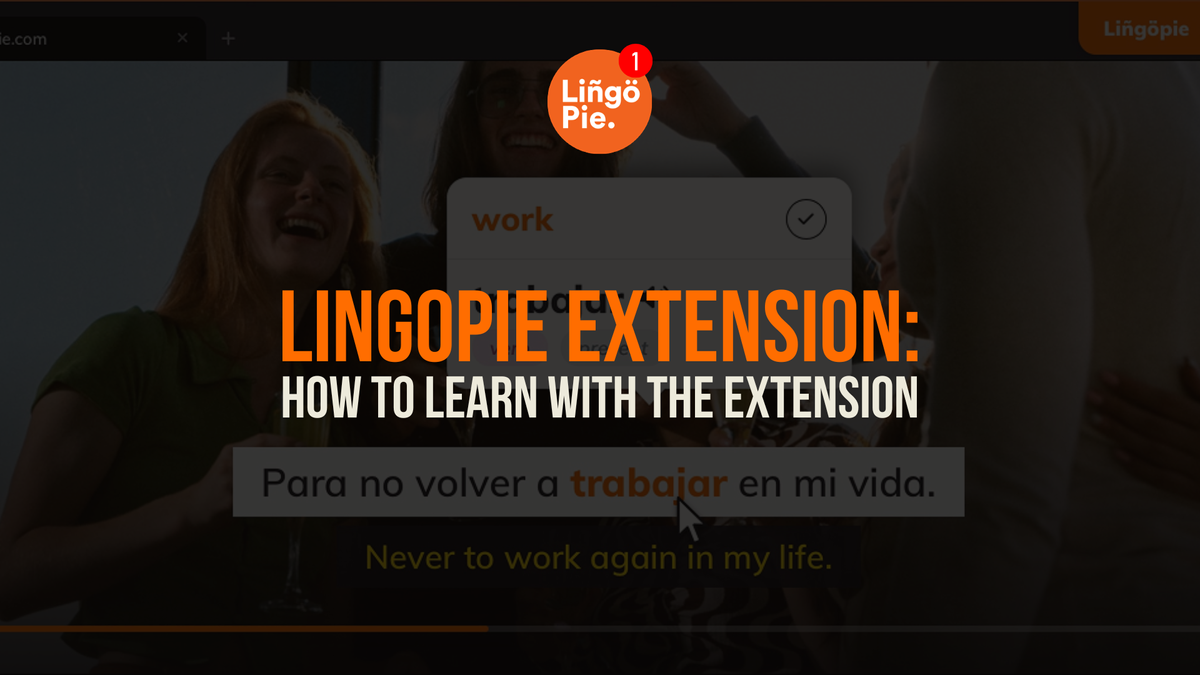
Most language learners already spend hours watching shows. However, the biggest problem isn't actually time. It's that regular streaming wasn’t built for learning. You watch, you enjoy, you forget every word by morning.
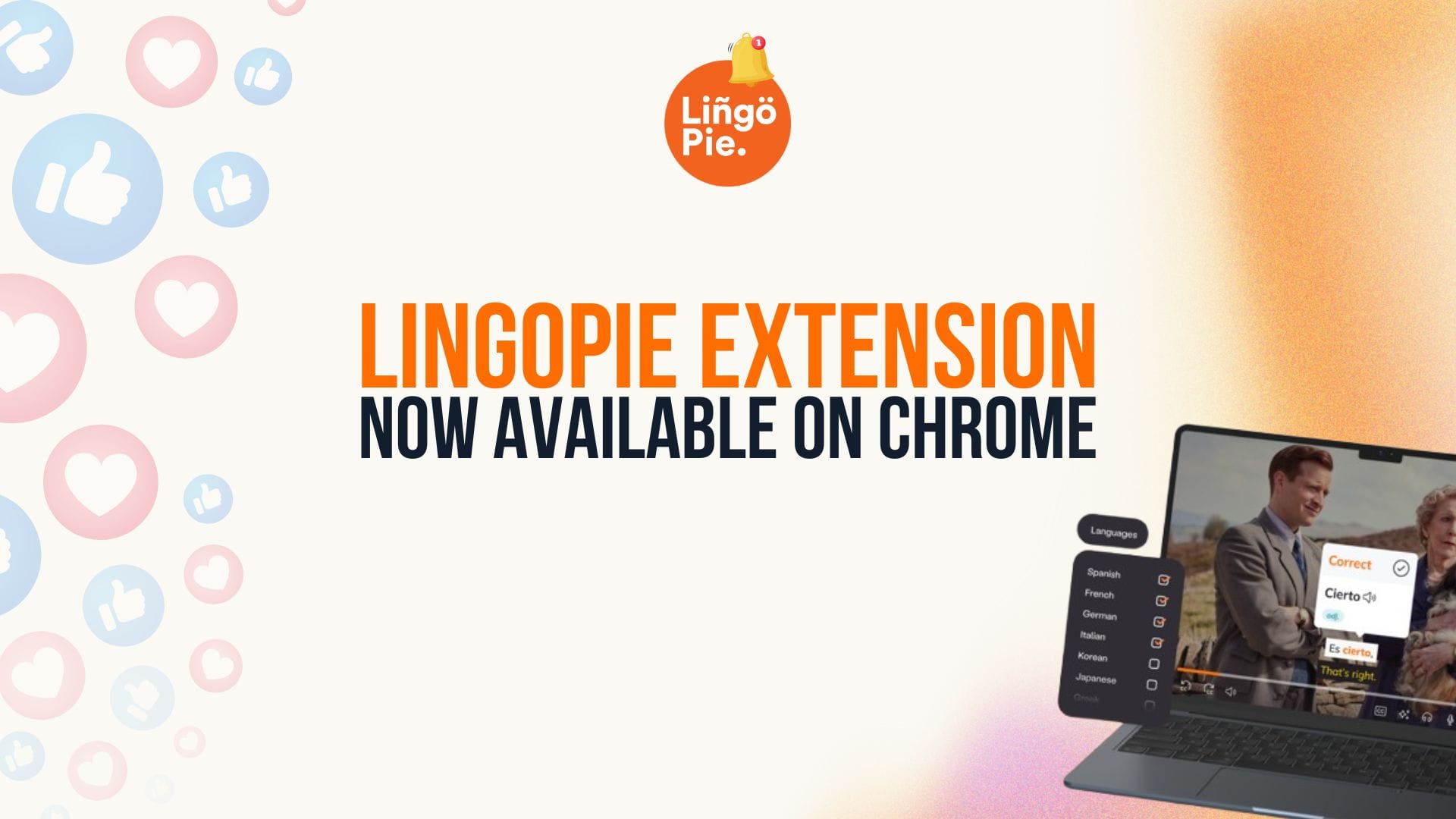
The Lingopie Chrome Extension fixes that. It adds real-time translations, dual subtitles, and vocabulary tools directly to the content you’re already watching. You literally learn from the same hit TV shows and streaming platforms, yet get completely different results.
Here's how to actually use it to learn.
- 7 Best Chrome Extensions for Language Learning
- iTalki Review: How This App Helped My Spanish (Or Did It?)
- Is Lingopie Free? Plans, Pricing & Free Trial Guide [2026]
What Is The Lingopie Extension About?
The Lingopie Extension is a complementary tool designed specifically for existing Lingopie subscribers who want to extend their language learning beyond Lingopie's native catalog. While Lingopie already offers its own extensive library of shows and movies for language learning, this extension brings those same powerful learning features to select titles on your favorite streaming services.
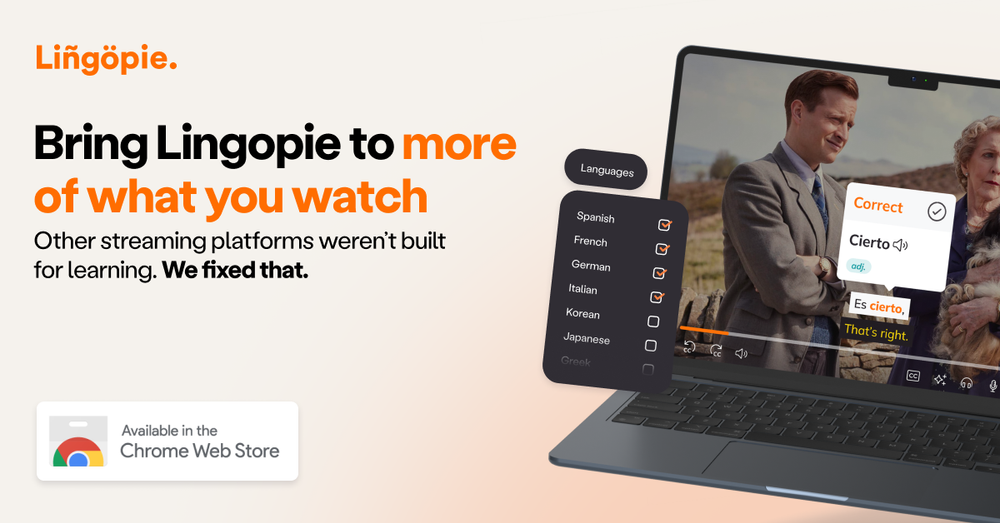
Available for Google Chrome, it bridges your streaming services with your Lingopie account, displaying dual subtitles and enabling interactive features like instant video-based flashcards, language quizzes, and more. Everything you learn with this extension is saved to your personal dashboard, keeping all your language-learning progress in one place, regardless of where you’re watching.
How Does The Lingopie Extension Work?
The Lingopie Extension is a Chrome add-on for existing Lingopie subscribers. Install it from the Chrome Web Store, connect your Lingopie account, and you're ready. It activates automatically when you start watching supported content.
Supported languages: Spanish, French, Portuguese, Italian, German, Korean, Japanese, Chinese, Russian, Turkish, Dutch, Hebrew, Greek, and Polish.
What Languages Are Supported By The Lingopie Extension?
The Lingopie Extension currently supports 14 languages, bringing Lingopie’s interactive learning features to select shows on your favorite platforms+. Here's the complete list of supported languages:
- Spanish
- French
- Portuguese
- Italian
- German
- Korean
- Japanese
- Chinese
- Russian
- Turkish
- Dutch
- Hebrew
- Greek
- Polish
And there's more coming soon!
How Do I Install The Lingopie Extension?
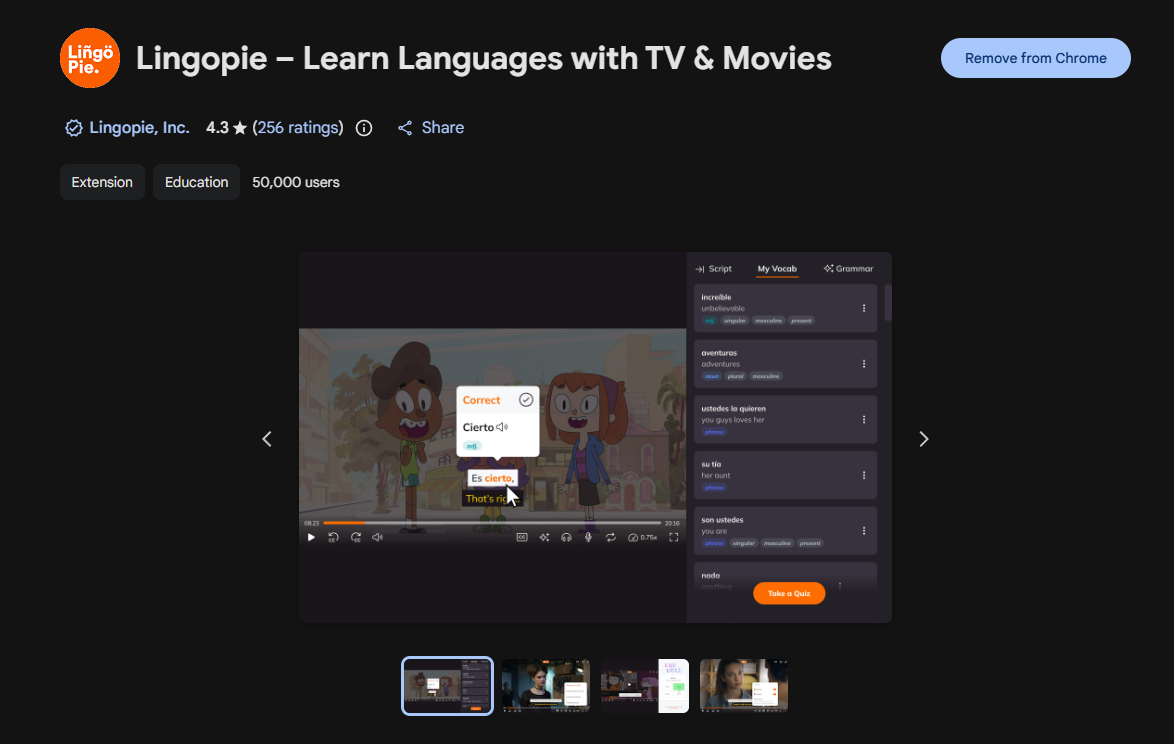
Getting started with the Lingopie Extension is straightforward. The extension is available for Google Chrome only. Here's your step-by-step guide to installation and setup:
Installing on Chrome
- Head to the Chrome Web Store and search for the Lingopie extension
- Click "Add to Chrome" and confirm installation when prompted
- Once installed, click the puzzle icon in your Chrome toolbar and pin the Lingopie extension for easy access
Ready to Start Watching?
- Open your streaming platform and find a show in your target language
- Start watching
- Make sure you're logged into your streaming account
That's all there is to it! The extension will automatically activate when you start watching supported content.
Is The Lingopie Extension Free?
The extension itself has no additional cost, but you’ll need a Lingopie subscription to use it. You’ll also need a subscription to the streaming platform you want to watch on.
What Are The Technical Requirements Of The Lingopie Extension?
For the best experience, make sure you're running:
- An up-to-date version of Google Chrome
- A stable internet connection for smooth streaming
- Enough screen space to comfortably view dual subtitles
Keep in mind that while you can't use the extension on your phone or tablet yet, any words and phrases you save while watching on your computer will sync to your Lingopie account. So you can still review your vocabulary lists on any device – you just need your computer for the initial learning sessions.
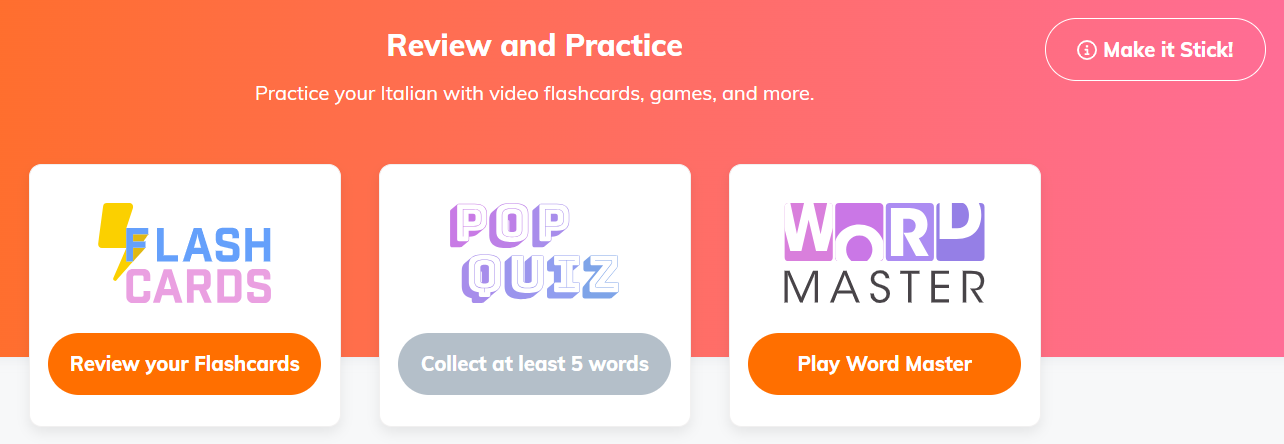
How To Learn A Language With The Lingopie Extension
Starting out with a new language tool can feel overwhelming, but learning with the Lingopie Extension is surprisingly natural. The secret? Pick shows you actually want to watch. Your favorite thriller or that comedy series you've been meaning to check out – they're all fair game for learning.
Here are some proven ways to make the most of your watching time:
Start with Familiar Content
Watch a show you already know in your target language. Already knowing the plot helps you connect words to their meanings naturally. Plus, you won't miss any plot twists while focusing on the language!
Master the Double-Subtitle Strategy
Begin each episode with both subtitles on. After a few minutes, try switching to just the target language. Not getting it? No worries – flip those dual subtitles back on. It's like having training wheels you can use whenever needed.
Click Strategically
Instead of clicking every unfamiliar word (which can get overwhelming fast), focus on:
- Words that keep showing up
- Phrases the main characters use often
- Expressions that make you curious
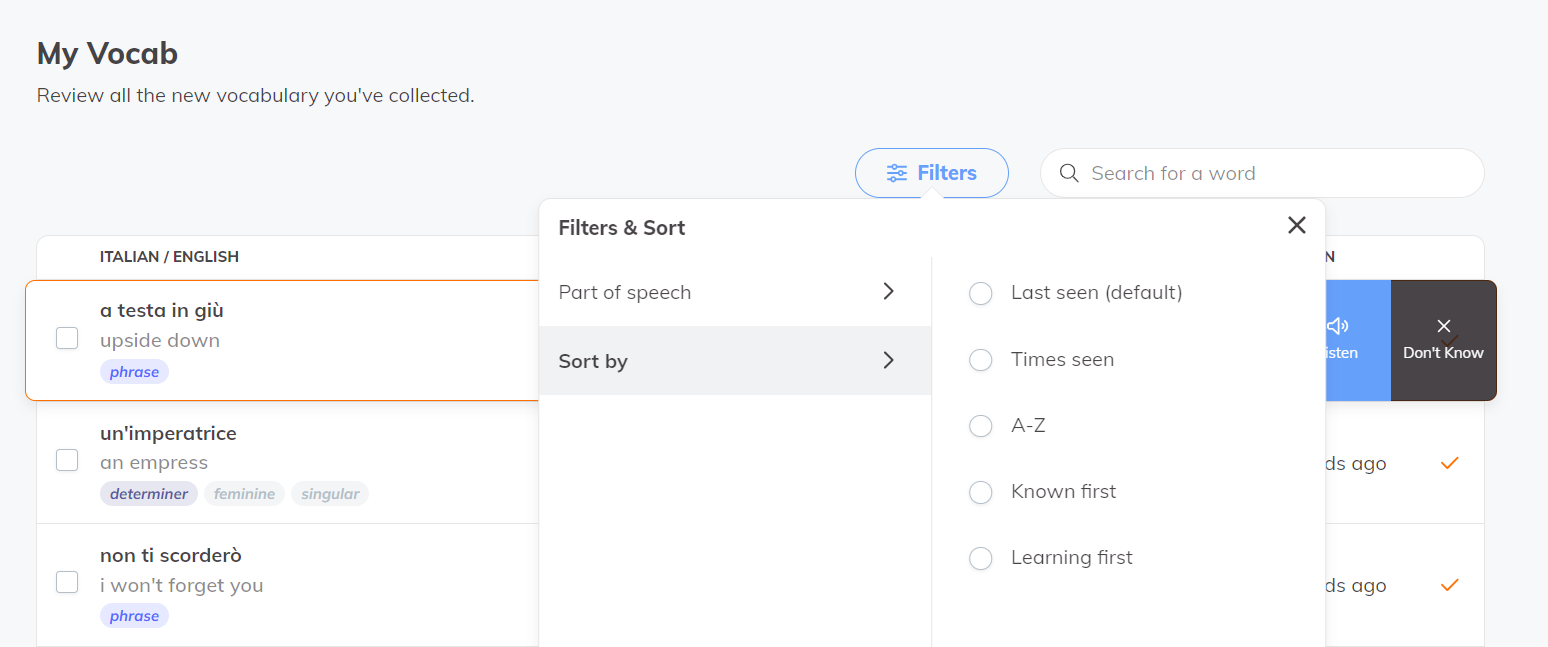
Use the Saved Words Feature
Take advantage of those words you click – they're automatically saved to review later. Spend a few minutes before your next episode reviewing what you learned in the last one. It's like building your own personalized dictionary of useful, real-world language.
Remember: Language learning is a marathon, not a sprint. Some days you'll be clicking every other word, and others you'll just want to enjoy your show. Both are perfectly fine – the key is keeping it fun enough that you'll want to come back for another episode tomorrow.
 Genine Torres
What Makes The Lingopie Extension Different?
Standard streaming subtitles are helpful, but they're pretty basic. You can watch with subtitles in one language or switch them completely – there's no middle ground. The Lingopie Extension takes things several steps further by showing both languages at once and making every word clickable for instant translations.
But that's just the beginning of what sets it apart. The Lingopie Extension:
- Lets you see both languages simultaneously, helping you make instant connections
- Makes every word and phrase clickable for quick translations
- Automatically saves words you click for later review
- Connects to your personal Lingopie dashboard for progress tracking
- Includes access to Lingopie's broader learning tools and features
Compared to other language learning extensions, Lingopie stands out by offering a complete learning ecosystem. Most extensions just show translations or basic flashcards. The Lingopie Extension integrates with your full Lingopie account, meaning everything you learn while watching becomes part of your broader language-learning journey.

Enhance Your Streaming Experience While Learning a Language
By bridging your favorite streaming platforms with Lingopie's proven learning features, you're getting the best of both worlds – entertainment and education wrapped into one seamless experience. Whether you're taking your first steps in a new language or polishing your existing skills, this extension makes learning feel less like work and more like entertainment.
Ready to start learning? Sign up for a FREE 7-day trial of Lingopie now!
Frequently Asked Questions
Q: What happens if I lose internet connection while watching?
A: Your progress is automatically saved as you go, so if your connection drops, you won't lose any of your saved words or learning progress. Once you're back online, just reload the page to continue where you left off.
Q: Can I share my Lingopie Extension with family members?
A: The extension is tied to your personal Lingopie account, but family members can install their own extension using their individual Lingopie subscriptions. This ensures everyone's learning progress stays separate and personalized.
Q: Will the extension slow down my browser?
A: The Lingopie Extension is designed to be lightweight and won't noticeably impact your browser's performance. You just need a stable internet connection for smooth streaming and subtitle synchronization.
Q: How often are new shows added to the supported content list?
A: Our team regularly updates the supported content library, adding new shows and movies weekly.
Q: What if the subtitles aren't syncing properly with the audio?
A: If you notice any subtitle synchronization issues, try refreshing your browser page first. If the problem persists, you can report it through your Lingopie dashboard, and our technical team will look into it promptly.



![Is Lingopie Free? Plans, Pricing & Free Trial Guide [2026]](/blog/content/images/size/w300/2026/01/Is-Lingopie-Free.jpg)
![How To Gift Lingopie: One-Year vs Lifetime Subscription [GUIDE]](/blog/content/images/size/w300/2026/01/lingopie-gift-subscription.jpg)
