
Five months ago, I joined a company where half my coworkers spoke Portuguese. They all spoke excellent English, but there’s this disconnect when the team banter switches to Portuguese, and someone has to pause mid-joke to translate for me.
I needed translation help that could keep up with real conversations, not just formal emails.
So I tested five popular Portuguese translator apps in actual workplace situations over five months. Important context: I was already taking Portuguese lessons. These apps supplemented that learning, helping me bridge the gap between classroom Portuguese and all the office chat happening around me.
- How Long Does It Take To Learn Portuguese? [Guide]
- Is Portuguese Hard To Learn? Honest Opinion + Tips
- 15 False Friends in Spanish & Portuguese You Can't Mix Up

Why Use English to Portuguese Translation Apps
Quick answer? Because you don’t have time for formal classes, and you need help right now.
In my opinion, these apps serve two purposes. First, they bail you out when you're stuck mid-conversation. Second, the good ones actually teach you patterns, so you need them less over time.
The workplace scenario proved perfect for testing this because there's real stakes (don't want to misunderstand project deadlines) involved, real conversations (not textbook dialogue), and real time pressure (can't spend 10 minutes looking up one phrase).
Best Portuguese Translator Apps
Lingopie: Best for Learning Through Entertainment
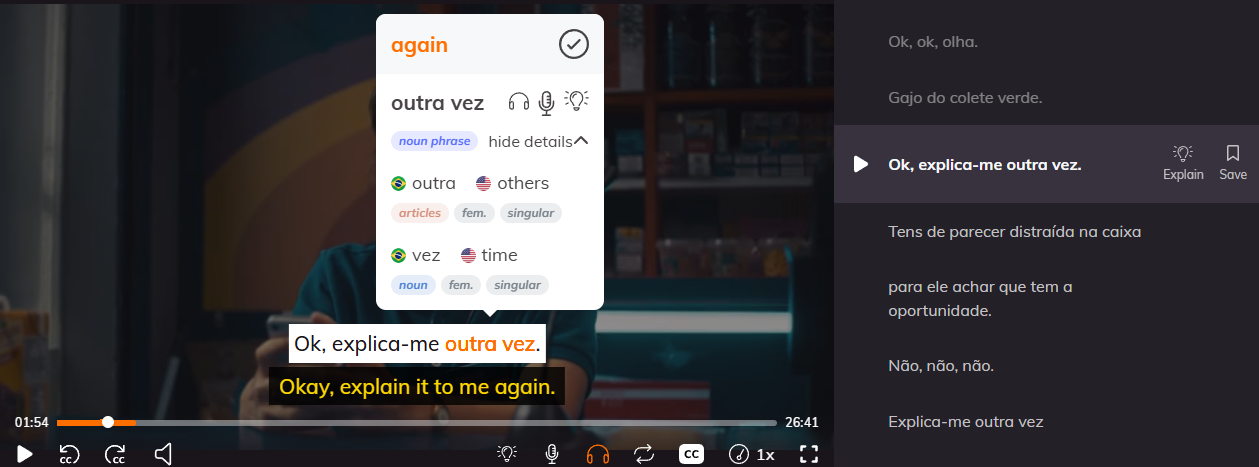
Lingopie is a language learning platform that uses Portuguese TV shows and movies with interactive dual subtitles for instant translations. The best feature is how it automatically creates flashcards from words you click. It's available on web, mobile, and TV, so you can learn during your commute or wind down with a Portuguese series at night.
Honestly, this works best for people who get bored with traditional study methods. I used it with Emilia (Brazilian comedy) and Brazilian Ladies (Portuguese web series), and the context from actual scenes made workplace slang stick way faster than any app translation. The one downside is you need dedicated watching time, so it won't help mid-conversation like the other apps here.
For time-crunched learners, Lingopie is a must-try. I watched 30 minutes most evenings instead of scrolling social media. That consistent exposure built comprehension faster than my twice-weekly formal lessons alone.
| Pros | Cons |
|---|---|
| Learn from real Portuguese (not textbook phrases) | Requires dedicated time to watch content |
| Automatic flashcard creation from clicked words | Can't use for quick on-the-spot translations |
| Shows both European and Brazilian Portuguese content | Subscription required (no free tier) |
| Context makes vocabulary retention much stronger |
Naver’s: Best for Travel and Casual Conversation
TripLingo is a translation app designed for travelers, with a phrasebook covering everything from restaurant orders to emergencies. Its best feature is the slang slider that shows you formal, casual, and even "crazy" versions of the same phrase. Available offline once you download the language pack, making it reliable when you're somewhere without wifi.
This app shines for beginners who need quick conversation help in social settings. I used it most during team lunches when menu items confused me or when making small talk with Portuguese-speaking clients. The audio pronunciations helped me sound less robotic than just reading translations. The main limitation is it's not built for professional or technical language, so I couldn't use it for work emails.
| Pros | Cons |
|---|---|
| Works offline after downloading language pack | Limited professional/technical vocabulary |
| Slang slider shows formality levels | Translation quality varies for complex sentences |
| Audio pronunciations for every phrase | Interface feels cluttered with travel features |
| Cultural tips included with phrases | Free version has annoying ads |
Papago: Best for Quick Accurate Translations
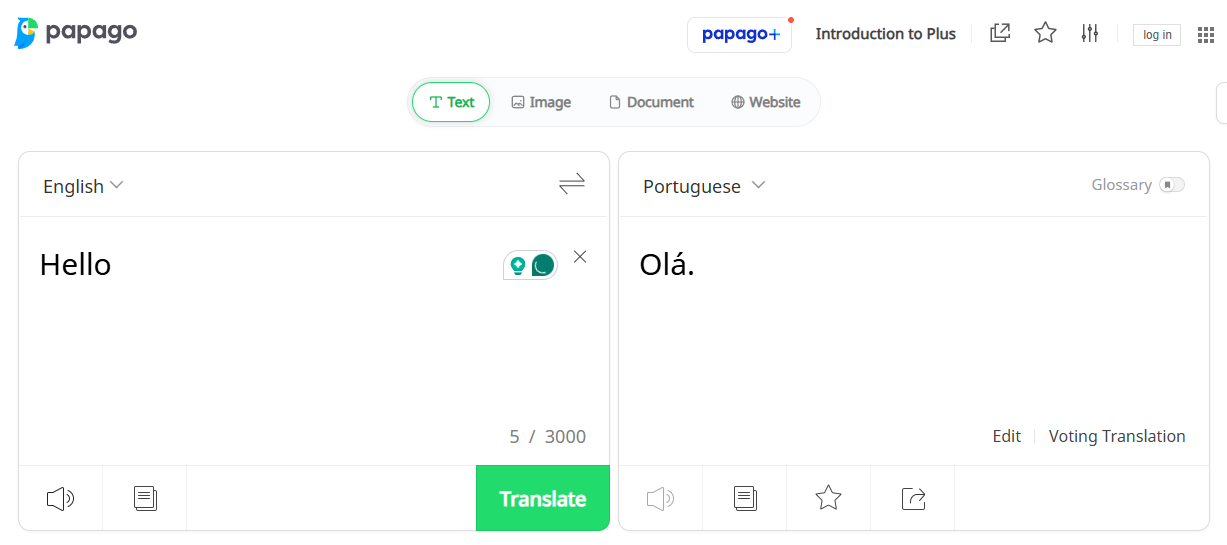
Papago is Naver’s AI translator app that handles text, voice, and image translations across 13 languages including Portuguese. The standout feature is its image translation that lets you point your camera at text and get instant translations overlaid on your screen. It works online and saves recent translations for offline reference, perfect for quickly checking messages throughout your day.
For workplace communication, Papago became my most-used tool. The translations felt more natural than Google Translate, especially for Brazilian Portuguese idioms my coworkers used in Slack. I'd screenshot messages, use the image feature, and understand context within seconds.
Honestly, the only weakness of Papago is that it doesn't teach you anything long-term since there's no built-in learning system or flashcards.
| Pros | Cons |
|---|---|
| Extremely accurate for both European and Brazilian Portuguese | Requires internet connection for most features |
| Image translation works on signs, menus, screenshots | No learning tools or progress tracking |
| Clean, intuitive interface | Fewer language pairs than competitors |
| Voice translation with good accent recognition |
DeepL: Best for Professional and Written Communication
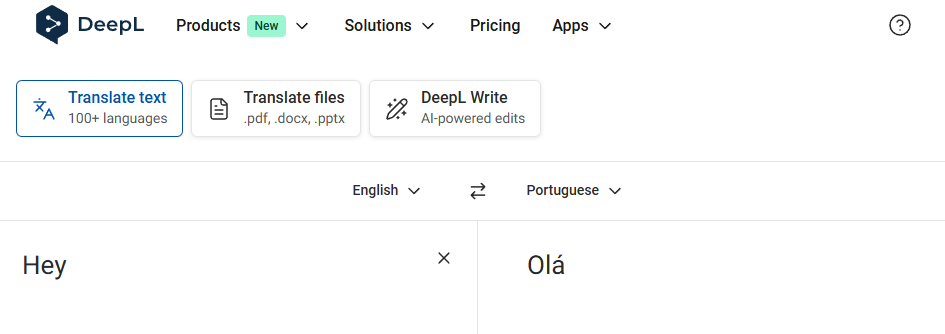
DeepL is an AI-powered translator known for producing more natural-sounding translations than most competitors, especially for European languages. Its best feature is the alternative translations button that shows different ways to express the same idea with varying formality levels.
Available as a web app, desktop app, and browser extension, DeepL can translate emails and documents in a flash. The only downside? The free version limits you to 5,000 characters per translation, which became annoying for longer documents.
| Pros | Cons |
|---|---|
| Best-in-class translation quality for professional text | Character limit on free version (5,000) |
| Shows alternative phrasings with formality levels | Limited mobile app functionality |
| Browser extension integrates into your workflow | No speech or image translation |
| Handles complex sentence structures well | Focuses on written text only |
Pons Translator: Best for Dictionary-Style Learning
Pons is a dictionary-based translator that provides detailed word definitions, example sentences, and grammatical information alongside translations. The best feature is how it breaks down verb conjugations and shows multiple context-specific meanings for each word.
Available offline with downloaded dictionaries, Pons also includes vocabulary trainer tools for active learning. In fact, I used Pons when I wanted to actually understand a word like if someone used "pegar" at work, Pons showed me it means "to catch," "to grab," "to get," or even "to hook up with" depending on context.
| Pros | Cons |
|---|---|
| Comprehensive definitions with grammatical details | Slower for quick translations |
| Example sentences show real usage | Interface feels outdated |
| Verb conjugation tables included | Less accurate for full sentence translation |
| Vocabulary trainer with spaced repetition | Free version has limited offline access |
How To Use Portuguese Translator Apps
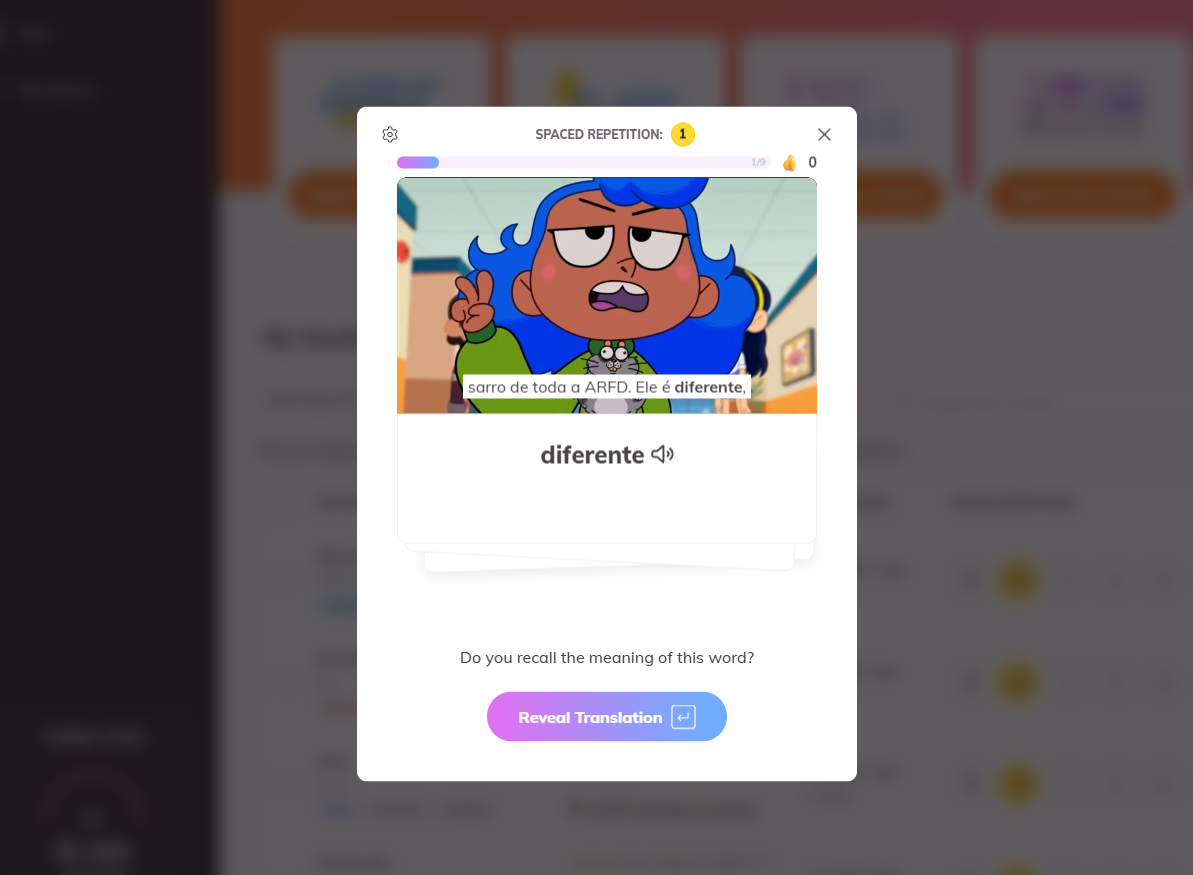
My actual workflow looked like this: Papago for quick Slack messages and conversations. For instance, you can use DeepL for emails and any work-related content that requires a professional tone. As for me, I consistently used Pons to deeply understand words I kept encountering.
And for everything else, I used Lingopie to build real comprehension.
The apps handle immediate translation needs. Lingopie handles actual learning. That combination moved me from constantly needing help to understanding most Portuguese conversations within five months.
Also, don’t just translate and move on. When an app gives you a phrase, try using it yourself within 24 hours. That active practice makes the difference between collecting translations and actually learning.
Learn Portuguese With Lingopie Instead
After five months of testing, here's my honest take: translator apps are useful tools, but Lingopie is what actually taught me Portuguese.
The difference comes down to context. Apps give you words. Lingopie gives you words in situations that mirror real life. When you see "dar um jeito" (to figure something out) used three times across different episodes, in different contexts, with different tones, your brain locks it in.
The workplace disconnect I mentioned at the start? Almost gone now. I catch most of the banter, laugh at the right moments, and occasionally throw in my own Portuguese comments. My coworkers noticed the progress around month three.
If you're serious about learning Portuguese rather than just surviving conversations, start with Lingopie’s free trial. Use the translator apps to fill gaps as needed...but make the entertainment-based learning your foundation.


![6 Best Italian Translator Apps For Learners [TESTED]](/blog/content/images/size/w1200/2026/01/Best-Italian-Translation-Apps.jpg)
![Is Portuguese Hard To Learn? Honest Opinion + Tips [2026]](/blog/content/images/size/w300/2025/09/Portuguese-hard-to-learn.jpg)