

My girlfriend fell hard for Heaven Official's Blessing. She'd light up talking about Xie Lian and Hua Cheng, quote lines that clearly meant something profound, get emotional about plot twists I knew nothing about. And I'd nod along as I understood.
I wasn't trying to learn Chinese. I just wanted to understand enough words to actually connect with what she loved. So I tested five translation apps over five months to see which ones could help improve my Chinese competence ASAP.
Here's what I found: some apps are great for quick lookups and nothing else. Others are slow and clunky. And one (Lingopie) accidentally made me learn Chinese without trying. Like, I started recognizing characters without looking them up!
If you're learning Chinese or just need fast translations to keep up with someone who is, here are the five apps actually worth your time.
- Chinese Onomatopoeia: 30+ Sound Words + Meanings
- 9 Funny Chinese Proverbs That’ll Brighten Your Day
- 17 Best TV Shows to Learn Chinese in 2026

Why Use Chinese Translation Apps
Chinese isn't like Spanish or French where you can sound out words and guess meanings. You're dealing with thousands of characters that look identical until you know what they mean. Translation apps solve the immediate problem: you see 喜欢 (xǐhuan) and need to know it means "like" right now, not after flipping through a dictionary or trying to describe the character to someone.
But speed isn't enough. The good apps show pronunciation, give context for when to actually use a word, and sometimes stick in your memory. The bad ones translate and leave you looking up the same character five times.
After five months, I learned that different apps handle different situations better. Quick lookups, photo translations, voice recognition - no single app dominated everything.
Chinese Translation Apps Worth Trying
Lingopie: Best For Actually Learning While You Translate
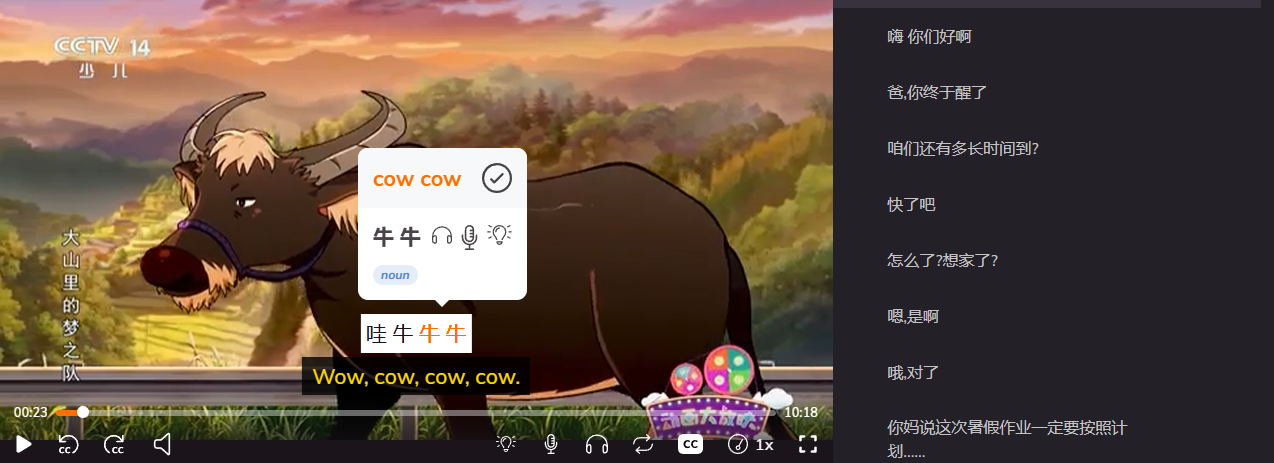
Lingopie is a language learning platform that teaches through Chinese TV shows and movies with interactive subtitles you can click for instant translations. The best feature is how it automatically turns those clicks into flashcards, so the words you look up actually stick.
The best part? Lingopie is available on the web and mobile apps, meaning you can watch on your TV and then review flashcards on your phone during lunch breaks.
This is the app that accidentally made me learn Chinese. I started using it because my girlfriend recommended a show, clicked on words I didn't know, and a month later caught myself recognizing 喜欢 (like/love) without looking it up. The downside is you need to commit to watching content, not just quick lookups. If you only want a dictionary, this isn't it.
| Pros | Cons |
|---|---|
| Makes vocabulary stick through context | Requires time investment in watching shows |
| Natural learning through entertainment | Not ideal for instant single-word lookups |
| Works across all proficiency levels | Subscription-based (not free) |
| Builds actual comprehension, not just translation | Need internet connection for content |
Pleco Chinese: Best For Serious Dictionary Lookups
Pleco is a comprehensive Chinese-English dictionary app that lets you search by typing, handwriting, or using your camera to scan characters. The best feature is its massive database with multiple dictionary sources, example sentences, and detailed character breakdowns showing stroke order and etymology.
This is the app everyone recommended first, and they weren't wrong about the quality. The dictionary entries are thorough, the camera feature works fast, and I could find obscure character combinations my girlfriend used.
The downside is that I never retained anything. I'd look up the same character three days later and have zero memory of seeing it before. It's a reference tool, not a learning tool.
| Pros | Cons |
|---|---|
| Most comprehensive dictionary available | Doesn't help you remember words |
| Works offline once downloaded | Interface feels dated and cluttered |
| Camera scan feature is incredibly accurate | Free version is limited, full features cost money |
| Multiple dictionary sources for context | Overwhelming for casual users |
XTranslate: Best For Photo, Voice, And PDF
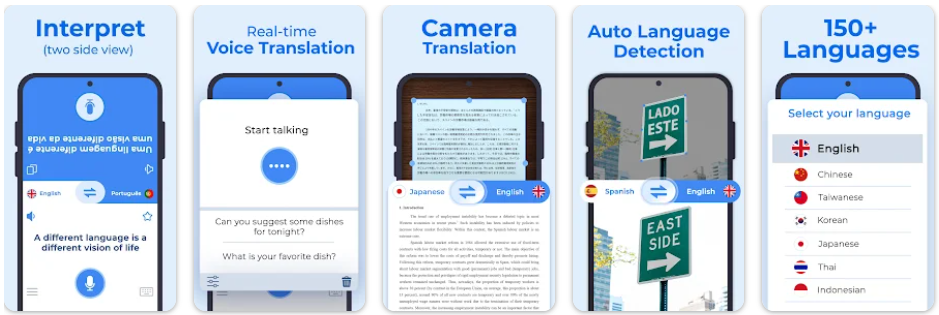
XTranslate handles multiple input methods including photos, voice recordings, and PDF documents with character recognition built in. The best feature is how quickly it processes images, letting you snap a photo of text and get translations in seconds without typing anything. It's available on iOS and Android, and the photo feature works great when your girlfriend sends you screenshots of passages she's reading.
I used this constantly for screenshots and photos. She'd text me an image from Heaven Official's Blessing asking "what do you think about this part?" and I could translate it fast enough to actually respond.
The problem is accuracy gets weird with complex sentences. Single words and short phrases translate fine, but full paragraphs sometimes come out as nonsense. You'll need context to figure out what it actually means.
| Pros | Cons |
|---|---|
| Fast photo translation for screenshots | Struggles with longer, complex sentences |
| Voice input works well for spoken words | Free version has annoying ads |
| Handles PDFs and documents | Translations lack cultural context |
| Multiple input methods in one app | Requires internet connection |
Translate Now: Best For Quick Conversational Translations
Translate Now focuses on real-time conversation translation with a clean interface that lets you type or speak phrases and get instant results. The best feature is the conversation mode, where you can have back-and-forth exchanges with translations appearing immediately for both people.
This worked great when I wanted to say something simple to my girlfriend in Chinese and needed it fast. The interface is clean, translations happen instantly, and it doesn't overwhelm you with linguistic details you don't need. The weakness is it's too simple for actual learning. You get translations but no pronunciation guide, no example sentences, no context. It's functional but forgettable.
| Pros | Cons |
|---|---|
| Extremely fast for quick phrases | No learning features whatsoever |
| Clean, intuitive interface | Limited offline functionality |
| Conversation mode for back-and-forth | Translations can be too literal |
| No learning curve, just works | Subscription required for premium features |
Google Translate: Best For Emergency Situations
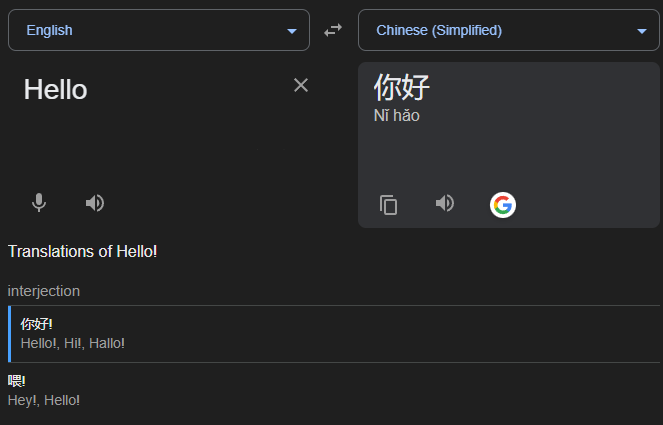
Google Translate is the universal translation tool that handles text, voice, images, and even real-time camera translation across 130+ languages including Chinese. The best feature is the camera mode where you point your phone at Chinese text and it overlays English translations in real-time on your screen. It's completely free, works on every platform, and you probably already have it installed.
I kept this as my backup for moments when other apps failed or I needed something translated immediately and didn't care about accuracy. The camera overlay feature is genuinely impressive when it works.
However, note that translations are hit or miss. Simple stuff comes out fine. Anything with nuance, idioms, or cultural context gets mangled into awkward English that technically means something but feels wrong. It's the app you use when you have no other options.
| Pros | Cons |
|---|---|
| Completely free with no paywalls | Translations often lack nuance and accuracy |
| Real-time camera translation is impressive | Doesn't teach you anything |
| Works across 130+ languages | Cultural context gets lost completely |
| Already installed on most phones | Requires internet for best results |
How To Use Chinese Translation Apps
I wasted the first two months using these apps wrong. I'd translate a word, close the app, and forget it instantly. The breakthrough came when I stopped treating translation apps like dictionaries and started using them strategically based on what I actually needed in the moment.
Match the app to your situation:
- Use Google Translate or Translate Now when someone's talking and you need instant results.
- Open XTranslate for screenshots, photos, or any text you can't type.
- Pull up Pleco when you want the most accurate definition with full context and examples.
- Turn on voice input instead of typing - even bad pronunciation gets recognized and it's way faster.
- Check multiple apps if a translation sounds weird, because Google will absolutely tell you nonsense.
The real difference? Lingopie made words stick because I saw them repeatedly in actual shows, not isolated in a dictionary. Every other app gave me translations I'd forget. Lingopie gave me translations in context that became automatic. That's why I started recognizing characters without looking them up.
Learn Chinese With Lingopie
The moment I recognized 喜欢 (like/love) without looking it up, I knew something was different. I'd seen that character maybe ten times across different shows on Lingopie, clicked it every time, and suddenly my brain just... knew it. That never happened with dictionary or translation apps before!
So my advice? Try Lingopie free for 7 days and see if it works for you.


![6 Best Japanese Translation Apps For Learners [TESTED]](/blog/content/images/size/w1200/2026/01/Best-Japanese-Translation-Apps.jpg)