
![What is Lingopie? Complete Platform Guide [2026]](/blog/content/images/size/w1200/2026/01/What-is-Lingopie.jpg)
You've tried the apps. Downloaded the textbooks. Maybe even paid for a course you stopped attending after week two. Learning a language shouldn't feel this exhausting.
What if you could learn Spanish by binge-watching telenovelas? Or pick up French from crime thrillers? Lingopie isn't another flashcard app pretending to be fun. It's actual entertainment that happens to teach you a language while you're glued to the screen.
Curious how watching TV counts as studying? Let's break down exactly what Lingopie is and how this language learning platform turns your Netflix habit into fluency.
- How Dual Subtitles Accelerate Language Learning
- How To Read Spanish: A Guide For Beginners
- 4 Best TV Apps for Language Learners
What Is Lingopie?
Lingopie is an immersive language learning platform that helps you learn Spanish and 14 other languages through real-world TV shows, movies, cartoons, music, podcasts, news, books, and audiobooks. That whole approach is based on exposure to native content to get comprehensible input.
Inside Lingopie, you're expected to actively engage with the content by clicking on the interactive dual subtitles. Tap one, and you'll see its definition, translation, and how it's used in context. Each tapped word will also turn into a flashcard with the exact scene from the show. This means that later, you can review these cards and practice with Lingopie’s built-in exercises.
What Languages Does Lingopie Have?
The Lingopie languages available include 15 options:
- Spanish
- Italian
- English
- Portuguese (Brazilian and European)
- French
- German
- Russian
- Japanese
- Korean
- Chinese (Mandarin)
- Dutch
- Turkish
- Polish
- Greek
- Hebrew
Each language has its own catalog of shows, movies, and content, with Spanish, French, and Italian having the largest libraries with hundreds of hours available. Newer additions like Turkish, Polish, Greek, and Hebrew are growing their content collections.
If you're wondering what languages does Lingopie have, that's the complete list of Lingopie languages supported right now. The Lingopie language list covers major European, Asian, and Middle Eastern languages, focusing on practical, everyday speech you'll actually use.
What Can I Watch On Lingopie?
The Lingopie catalog is where you'll spend most of your time. It's an extensive library of licensed TV shows and movies in your target language—real content made for native speakers, not watered-down educational material.
Catalog
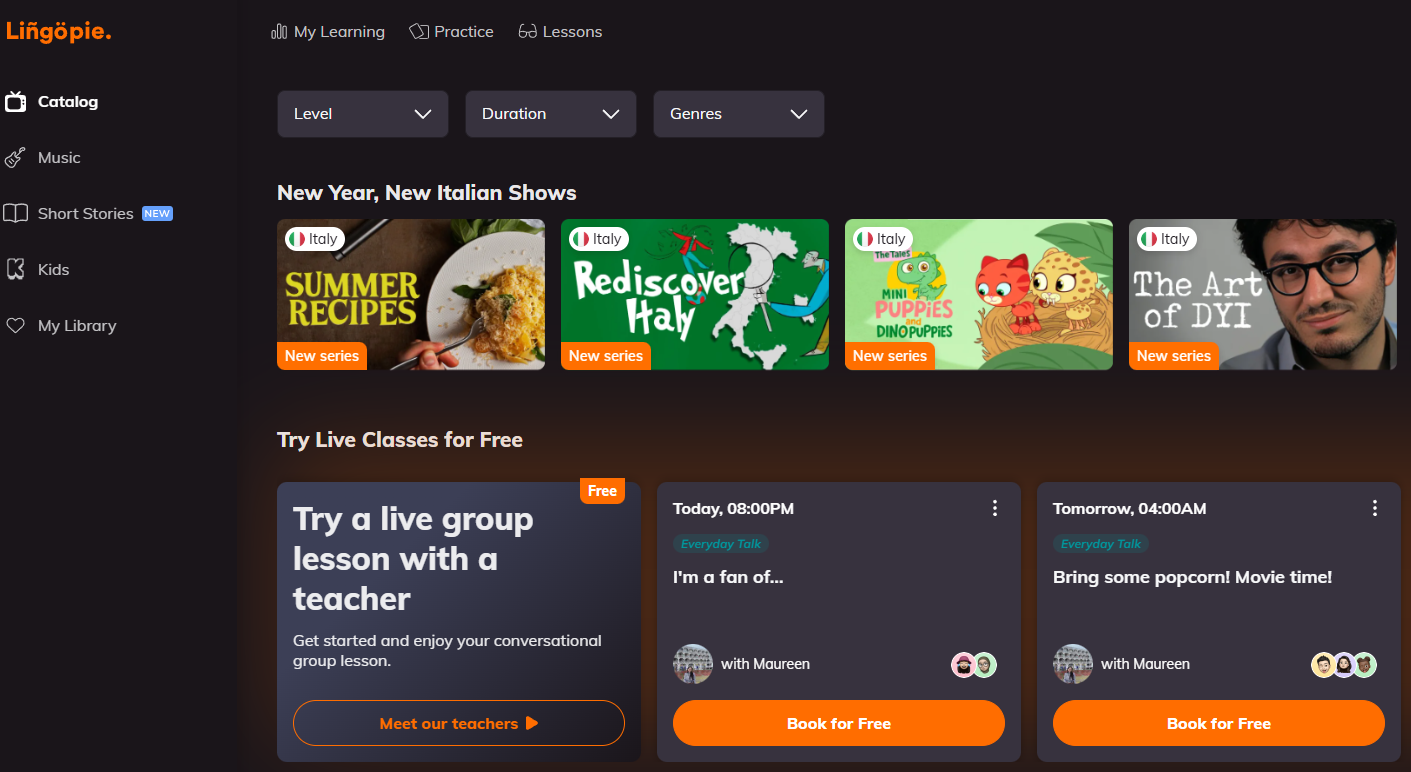
Lingopie's main catalog includes thousands of hours across genres: comedies, dramas, documentaries, cooking shows, travel series, crime thrillers, and reality TV. You're watching the same shows native speakers watch, which means you learn authentic speech patterns, slang, and cultural references.
The Lingopie catalogue features both licensed content and Lingopie Exclusives. Licensed content comes from streaming services and broadcasters worldwide. Lingopie Exclusives are original productions created and directed by the Lingopie team specifically for language learners. These exclusives are available in select languages and designed to balance entertainment with comprehensible input.
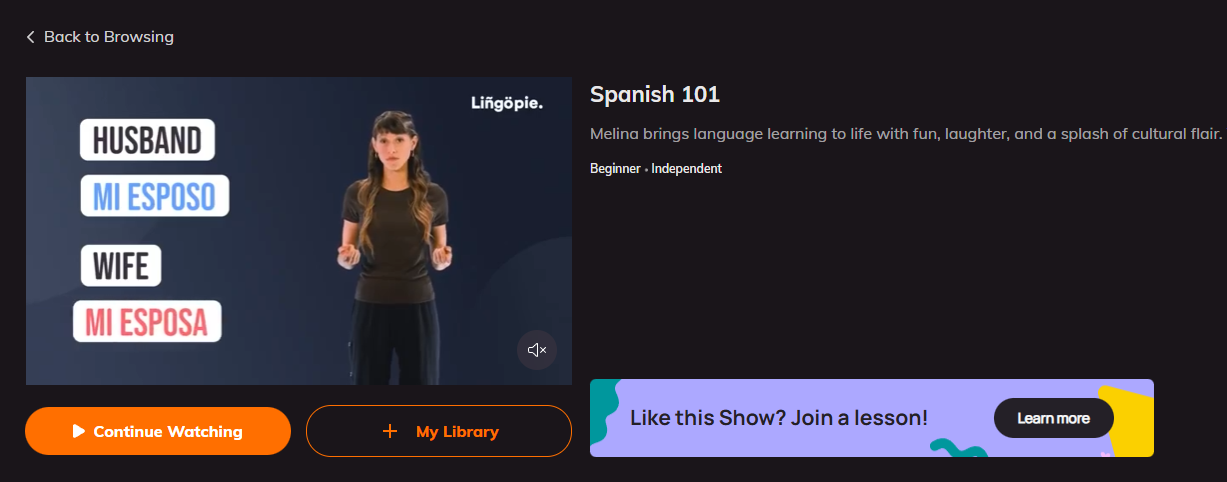
Popular options include Spanish telenovelas, French crime dramas, Italian cooking series, German documentaries, and Japanese anime. The Lingopie list of shows is organized by difficulty level, so beginners can start with slower-paced content while advanced learners jump into fast dialogue.
Music
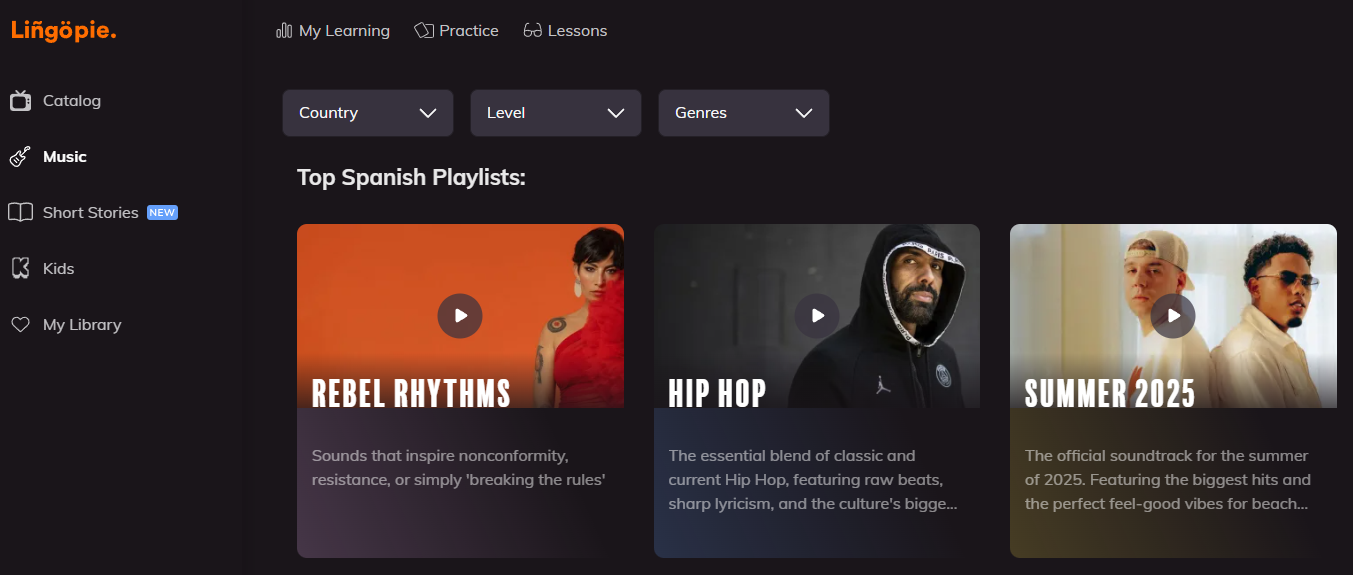
Music makes vocabulary stick because songs repeat phrases constantly and burrow into your brain whether you want them there or not. Technically, Lingopie's music section works like the shows with dual subtitles: it displays lyrics in both languages.
You're also meant to click words you don't know, save them, and practice pronunciation by singing along. You can browse by playlists, individual songs, or artists.
Lingopie Music is available in Spanish, French, German, Italian, Portuguese, Japanese, Korean, and Russian.
Short Stories
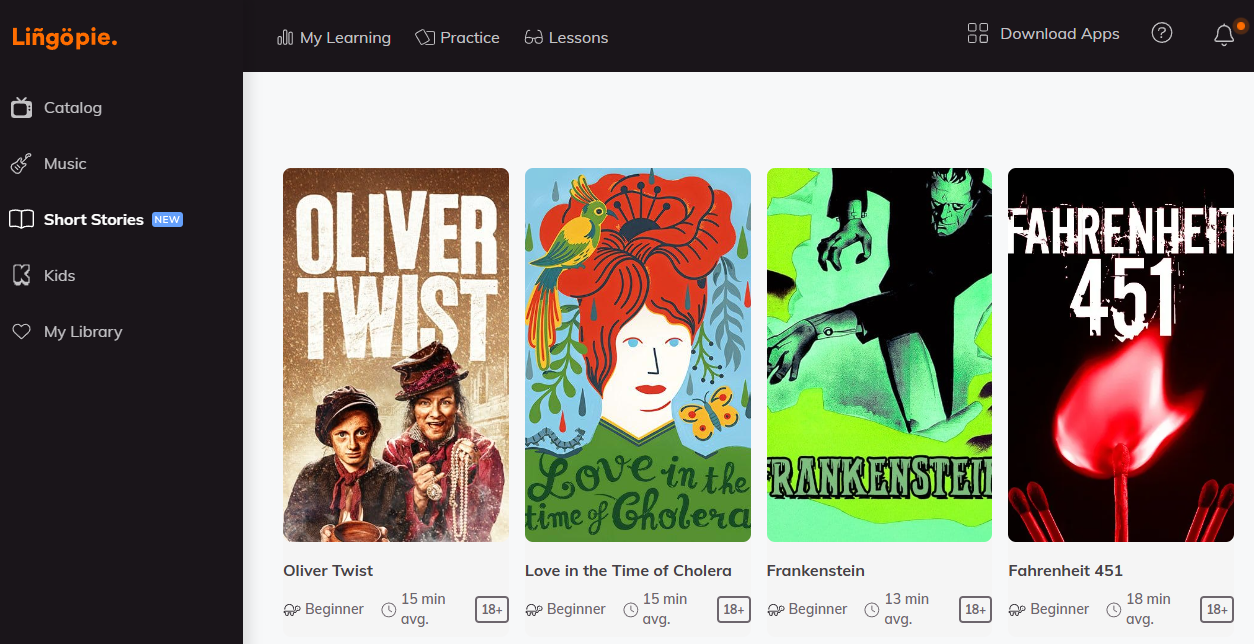
Lingopie Short Stories is a collection of bite-sized narratives that run 5-15 minutes each. Each story comes with an interactive dual transcript in English and your target language. You can read through at your own pace, or hit autoplay and listen while following along. The narration is deliberately slower than normal conversation, giving your brain time to catch individual words instead of getting overwhelmed by rapid-fire dialogue.
The same interactive features from shows work here too. Tap a word you don't know, see what it means, save it to your flashcards. After finishing a story, take the comprehension quiz to check if you actually understood or just skimmed through.
Lingopie content in the short stories section covers folklore, contemporary fiction, historical events, and cultural topics—basically, stuff that's actually interesting to read rather than generic "learning material." They're available in Spanish, French, Italian, and German on desktop and iOS.
Slowed News Content
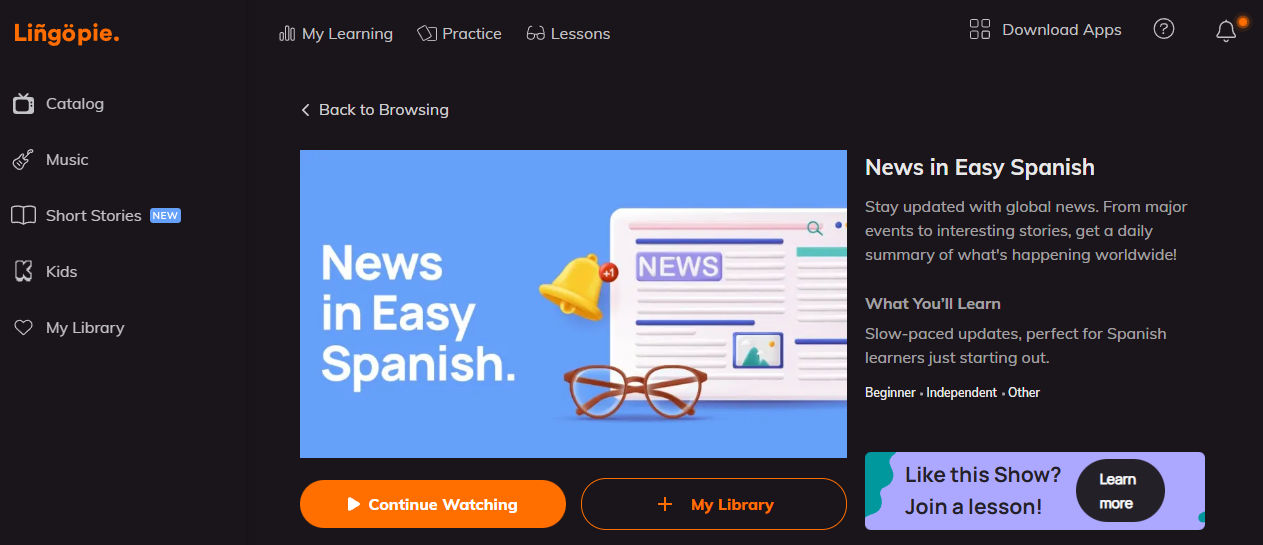
Lingopie News is a collection of current events segments slowed down specifically for language learners working on listening comprehension. Instead of the breakneck speed of regular news broadcasts, these clips give you time to actually process what you're hearing.
Each segment runs 3-8 minutes and covers topics like politics, technology, culture, and daily life in different countries. The language is more structured and formal than entertainment content, which helps when you need professional or academic vocabulary beyond casual conversation.
As of writing, Lingopie's News content is available in Spanish, French, Italian, and German.
Kids
Lingopie Kids is a separate section with curated, age-appropriate content for children. Parents set it up, kids watch shows designed for their age group, and everything stays safely filtered away from adult content in the main catalog.
The interactive learning features work the same way they do for adults. Kids see clickable subtitles, tap words they don't know, and build vocabulary while watching cartoons and educational shows. The difference is that all the Lingopie content here is handpicked to be safe and engaging for younger learners.
| Interface Language | Kids Can Learn |
|---|---|
| English | Spanish, French, Italian, German, Portuguese, Japanese, Korean, Chinese, Russian |
When kids finish watching, click "Exit Kids" in the upper left corner to return to the full Lingopie catalog with adult content. It's a simple toggle between the filtered kids' section and everything else.
Can You Watch Lingopie On TV?
Yes. Lingopie TV is a dedicated app for watching on your television, included with your regular subscription at no extra cost.
Right now, the app is available for Android TV and Google TV in beta. You download it like any other streaming app, log in with your Lingopie account, and access the full Lingopie catalog on your TV screen.
- Google TV: Download Here
- Roku TV: Download Here
- Fire TV: Download Here
The interactive subtitle features work on TV, though they're easier to navigate on mobile devices or computers, where you can quickly tap individual words. Still, watching on a bigger screen helps when you want to see facial expressions, body language, and visual context alongside the dialogue.
Support for other smart TVs and streaming devices is coming in future updates.
What Features Does Lingopie Have?
These are the core Lingopie features that turn passive watching into active learning.
Dual Subtitles
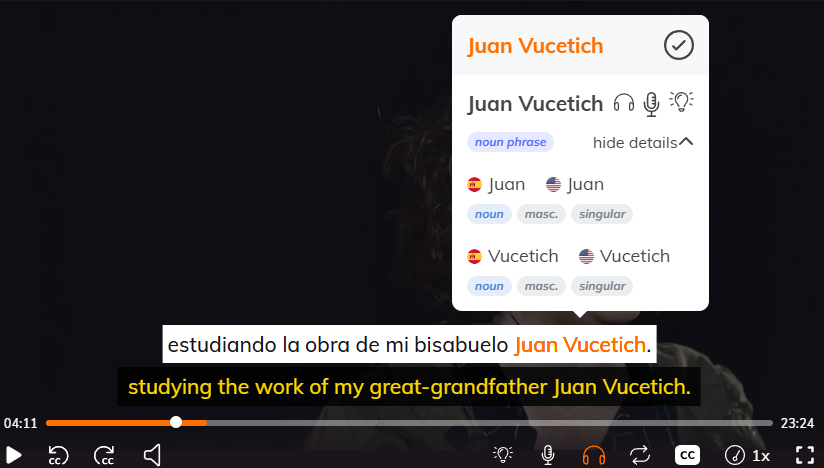
Dual subtitles display two languages at once—your target language on top, your native language on the bottom. You can follow along in the language you're learning while having a safety net underneath when you miss a word or phrase.
Toggle either subtitle on or off as you improve. Eventually, you'll drop your native language completely and rely only on the target language. It's a gradual transition that lets you control how much support you need at any given moment.
Grammar Coach
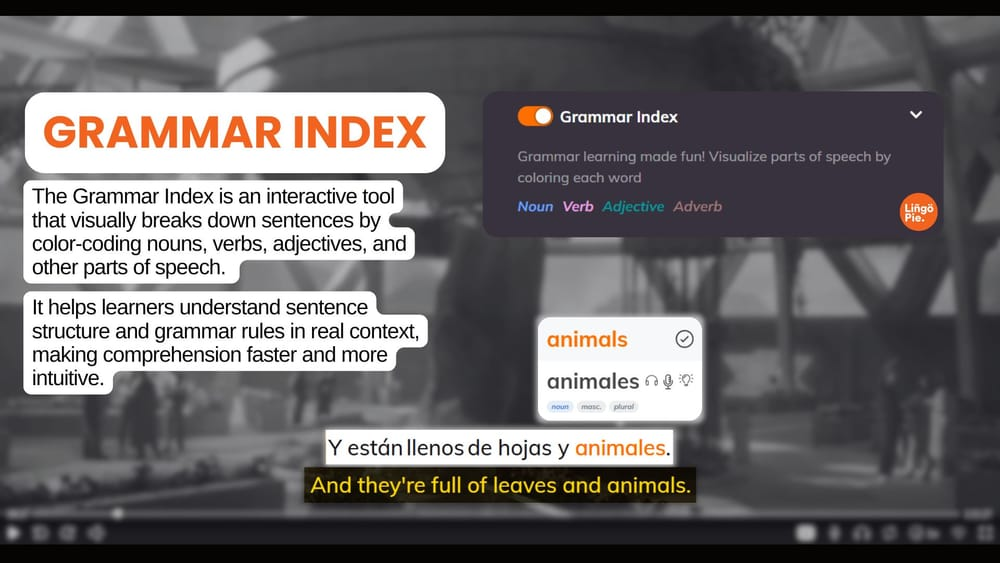
Grammar Coach explains why sentences are structured the way they are. Click a phrase, and it breaks down the grammatical components—verb tenses, word order, particles, conjugations, whatever's relevant to that language.
This bridges the gap between hearing phrases naturally and understanding the rules behind them. You're not memorizing grammar tables in isolation. You're seeing how real speakers use grammar in actual conversations, which makes the patterns stick better than textbook explanations.
Video-based Flashcards
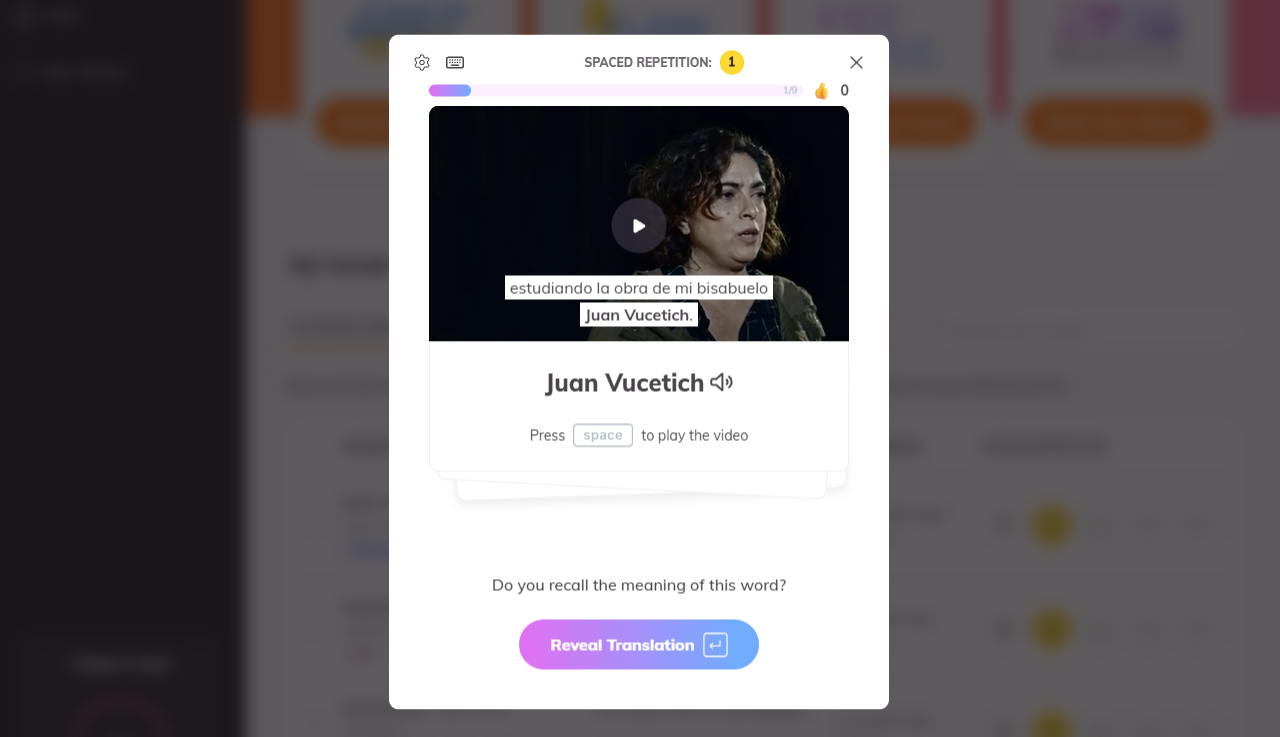
When you save a word from a show, Lingopie automatically creates a flashcard with the video clip attached. You see the exact scene where you learned it, hear the actor say it, and read the full sentence in context.
This is more effective than text-only flashcards because your brain connects the word to the emotion, situation, and voice of that specific moment. Memory works better with context than with isolated definitions.
Say It Feature
Say It uses speech recognition to check your pronunciation. You see a phrase on screen, say it out loud, and the system tells you how close you got to native pronunciation.
It's not perfect (no speech recognition is) but it gives immediate feedback and helps you practice speaking even when you're learning alone. You can repeat the same phrase multiple times until the system registers it correctly.
Loop On Subtitles
Loop lets you replay a single subtitle line repeatedly without rewinding the entire scene. Stuck on a fast sentence or unfamiliar accent? Hit loop, and that specific line plays over and over until you're ready to move forward.
This is a very useful Lingopie feature because hearing something three or four times in a row helps it sink in. You catch details you missed the first time—pronunciation quirks, subtle grammar patterns, the rhythm of the sentence.
Playback Speed Settings
Playback speed control is one of the most useful Lingopie features for matching content to your current level. You adjust the speed with a simple slider, slowing down dialogue when it's too fast or speeding it up when you're ready for a challenge.
Lingopie offers four speed settings:
- 0.65x for beginners – Gives you maximum processing time to catch every word
- 0.75x for intermediate – Still slowed but closer to natural pace
- 0.9x for advanced – Nearly full speed with just a slight cushion
- 1x for full speed – Native speaker pace, no training wheels
The audio quality stays clear even at slower speeds. You can still hear pronunciation accurately, which matters when you're training your ear to recognize sounds and rhythm patterns in your target language.
Adjust speed as often as you need. One scene might require 0.65x playback while the next runs at full speed. You control the pace based on your comprehension in that exact moment.
Contextual Practice
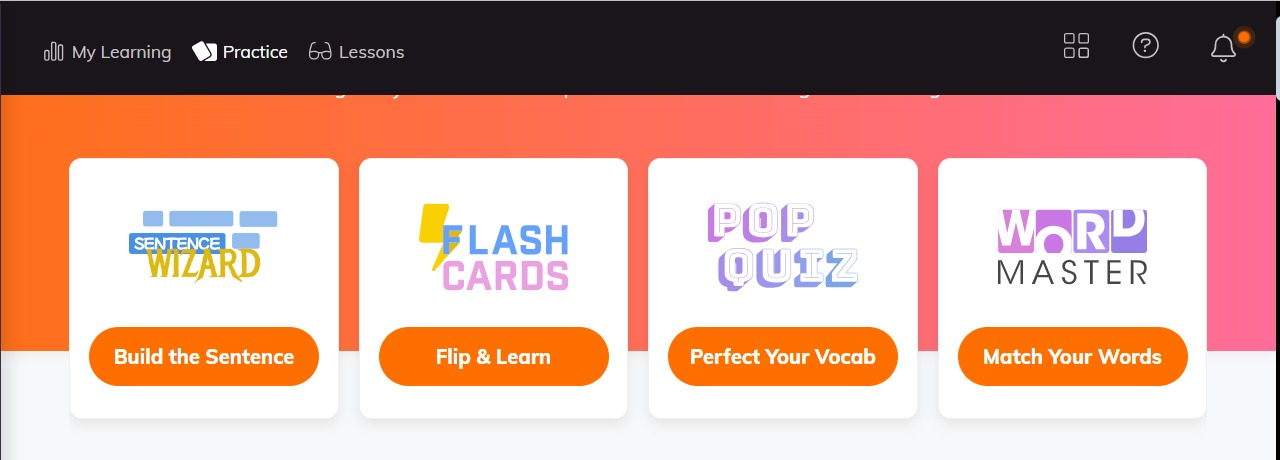
Lingopie's language learning approach doesn't stop when you finish watching. The platform includes practice games that turn your saved vocabulary into active exercises—reinforcing what you learned through repetition and recall.
You access all practice modes from the Practice section in the main menu. Everything uses words and sentences you've saved from shows, so you're reviewing vocabulary you've already encountered in context rather than random word lists.
You access all practice modes from the Practice section in the main menu. Everything uses words and sentences you've saved from shows, so you're reviewing vocabulary you've already encountered in context rather than random word lists.
| Practice Mode | What It Does | How It Works | Best For |
|---|---|---|---|
| Sentence Wizard | Practice sentence structure and word order | Scrambles sentences from shows you've watched. Drag or tap the parts into correct order, then check your answer. | Advanced learners working on complex grammar |
| Flashcards | Review and memorize saved vocabulary | Every word you click becomes a flashcard with video clip, translation, and context. Uses spaced repetition—words you struggle with appear more often. | Intermediate learners building vocabulary |
| Pop Quiz | Test vocabulary comprehension | Watch a video snippet, then select the correct meaning of a highlighted word from multiple choices. | Intermediate learners testing retention |
| Word Master | Match words to video clips | Watch a short clip and select which word matches what you heard from multiple options. | Beginners learning new words in context |
When you click on the Practice tab, you'll also notice the My Vocab section. This section stores every word you've saved across all shows. Search for specific words, filter by part of speech or tense, listen to pronunciation, and track review frequency. Remove words you've mastered or keep practicing the ones that need more work.
Live Lessons
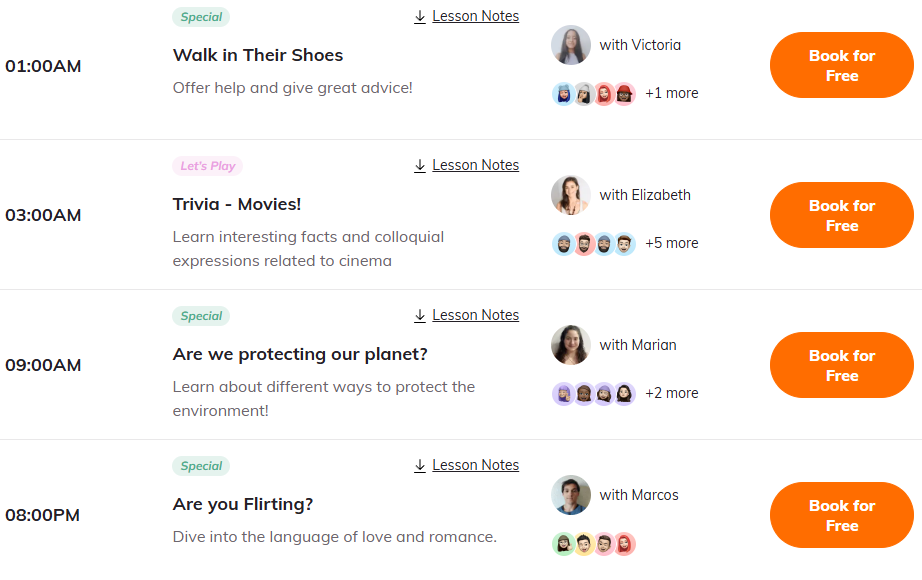
Live lessons connect you with native speakers for real-time conversation practice. You can book group sessions with other learners or schedule private one-on-one lessons depending on how much individual attention you want.
Lingopie Group lessons are interactive 60-minute sessions conducted via Zoom with 4-8 students and a native speaker instructor. What makes them different from typical language classes is they're based on actual TV shows and movies from the Lingopie catalog. Here, the instructor leads conversation practice, answers questions, and corrects mistakes in real time.
Lingopie Private lessons are 30 or 60 minutes with just you and a native speaker. You set the agenda completely—work on pronunciation, ask specific grammar questions, practice conversation about topics that interest you, or focus on vocabulary from shows you're struggling with.
FAQ
Is Lingopie Free To Use?
Lingopie offers a free trial so you can test the platform before committing to a subscription. After the trial ends, you'll need a paid subscription to access the full content library and features.
Which Languages Can I Learn With Lingopie?
You can learn 15 languages on Lingopie's language learning platform: Spanish, Italian, English, Portuguese, French, German, Russian, Japanese, Korean, Chinese (Mandarin), Dutch, Turkish, Polish, Greek, and Hebrew. Each language has dedicated content libraries ranging from hundreds to thousands of hours.
Does Lingopie Really Help Beginners?
Yes, but it works best when you already know basic pronunciation and a few hundred common words in your target language. Complete beginners should start with the platform's beginner-friendly content like children's shows, slow-paced documentaries, or short stories, using dual subtitles heavily at first until vocabulary builds up.
Learn With Lingopie Today!
You've been looking for a way to learn a language that doesn't feel like work. Lingopie might be exactly that—learning disguised as entertainment, where clicking through subtitles on a show you're actually enjoying counts as study time.
Pick something from the Lingopie catalog that looks interesting. Turn on subtitles. Start watching. That's it. No textbooks, no boring drills, just content that keeps you engaged while vocabulary builds in the background.
Try the free trial. See if learning through TV shows actually works for you. Worst case, you watched some good content. Best case, you finally stick with language learning past the first two weeks.

![How To Gift Lingopie: One-Year vs Lifetime Subscription [GUIDE]](/blog/content/images/2026/01/lingopie-gift-subscription.jpg)

![Is Lingopie Free? Plans, Pricing & Free Trial Guide [2026]](/blog/content/images/size/w300/2026/01/Is-Lingopie-Free.jpg)
![How To Gift Lingopie: One-Year vs Lifetime Subscription [GUIDE]](/blog/content/images/size/w300/2026/01/lingopie-gift-subscription.jpg)
