

Key Takeaways
- Best free starts: Duolingo builds a daily habit. Language Transfer explains how Spanish works through 90 audio lessons at no cost.
- Best paid course structure: Babbel and Pimsleur both guide you step by step.Pimsleur costs $19.95 per month for one language;Babbel lists a 12-month plan at $8.95 per month.
- Best for listening practice: Lingopie, which teaches through TV shows (we are an interested party, see the disclosure above).
- Best for speaking with a real person: italki, with lessons from $4.
- Best one-time purchase: Rocket Spanish, at $149.95 per level with lifetime access.
- Realistic timeline:the U.S. Foreign Service Institute estimates about 24 weeks (600 class hours) for English speakersto reach professional working proficiency in Spanish.
- Prices: checked in September 2026. They change by region and promotion, so confirm on each vendor's site.

Where to Start With the Best Apps to Learn Spanish
Learning a new language can feel like climbing a mountain, and it is worth every step. I learned English as a native Spanish speaker, with textbooks, dictionaries and whatever English-language TV shows I could find. That experience taught me one thing: the right tools change the whole journey.
Today, you can start Spanish on your phone for free. This guide compares 12 apps: 5 free and 7 paid. Each one gets pros, at least one honest limitation, and a one-line "best for."
If you want the short answer, start with Duolingo or Language Transfer if you have no budget. Choose Babbel or Pimsleur if you want a paid course. Add italki when you are ready to talk to a real person.
How We Chose These Apps
We compared each app on four criteria:
- Price clarity: does the vendor publish what you pay, and is there a free trial or free tier?
- Skills trained: listening, speaking, reading, grammar, or vocabulary.
- Learner level: who the app serves best, from first lesson to advanced.
- Evidence: official vendor pages first, then published research and independent reviews.
Where we could not confirm a current price from an official source, we say so instead of guessing.
What to Look For in a Spanish Learning App
Five features separate a useful Spanish language learning app from a distracting one.
Ease of use. You should spend your time learning, not figuring out the menus. Game-like features help some learners stay motivated.
A mix of learning tools. Vocabulary alone will not carry you. Look for grammar instruction, speaking exercises, listening practice and flashcards in the same place, or plan to combine two apps.
Flexibility. Good apps let you study for a few minutes on a busy day and longer on a free weekend.
Native speaker content. Audio and video from real Spanish speakers train your ear for natural pace. The research supports this: a 2013 meta-analysis in the journal System found that watching video with captions had a large effect on listening comprehension (g = 0.99) and on vocabulary learning (g = 0.87),according to Montero Perez and colleagues.That review covered captioned video, not apps in general, but it explains why video-based tools deserve a place on this list.
Progress tracking. Seeing your streak, your review count or your completed lessons makes it easier to keep going.
Apps to Learn Spanish for Beginners and Advanced Learners
Not every app fits every level. Use this split to narrow your list.
For beginners (first lesson to A2)
- Language Transfer, for understanding how Spanish is built
- Pimsleur, which is designed for complete beginners
- Duolingo, for building a daily habit
- SpanishDict, for quick lookups and grammar lessons
- Rocket Spanish Level 1, if you prefer a one-time purchase
Course-style apps (Babbel, Rosetta Stone, Mango) suit learners who want a guided path. Babbel and Mango let you try a first lesson before paying, so check where each one starts you.
For intermediate learners (A2 to B1)
- Clozemaster, listed on the App Store for A2 to C1 learners
- Lingopie, for listening practice with native shows
- italki, for feedback from a tutor who can match your level
- HelloTalk, for open-ended chats with a conversation partner
For advanced learners (B2 and above)
Advanced Spanish learners will find fewer app options. At B2 and above, tutors, native media and conversation partners usually beat any curriculum. The goal shifts from learning words and phrases to using them. Watch YouTube videos and TV in Spanish with captions, read the news, and book regular italki sessions so a tutor can correct what an app cannot.
Keep Clozemaster as a short warm-up for vocabulary in context, not as your main course. Spend most of your week with real Spanish speakers and native content, and use apps only to fill specific gaps.
Top Free Apps to Learn Spanish
Can you learn Spanish for free? You can build foundational skills for free, especially vocabulary, listening and basic conversations. These five apps cost nothing to start, though some sell a premium version.
1. Duolingo
Duolingo turns Spanish into short, game-like lessons with points, streaks and levels.The free version includes every language course and its core lessons.
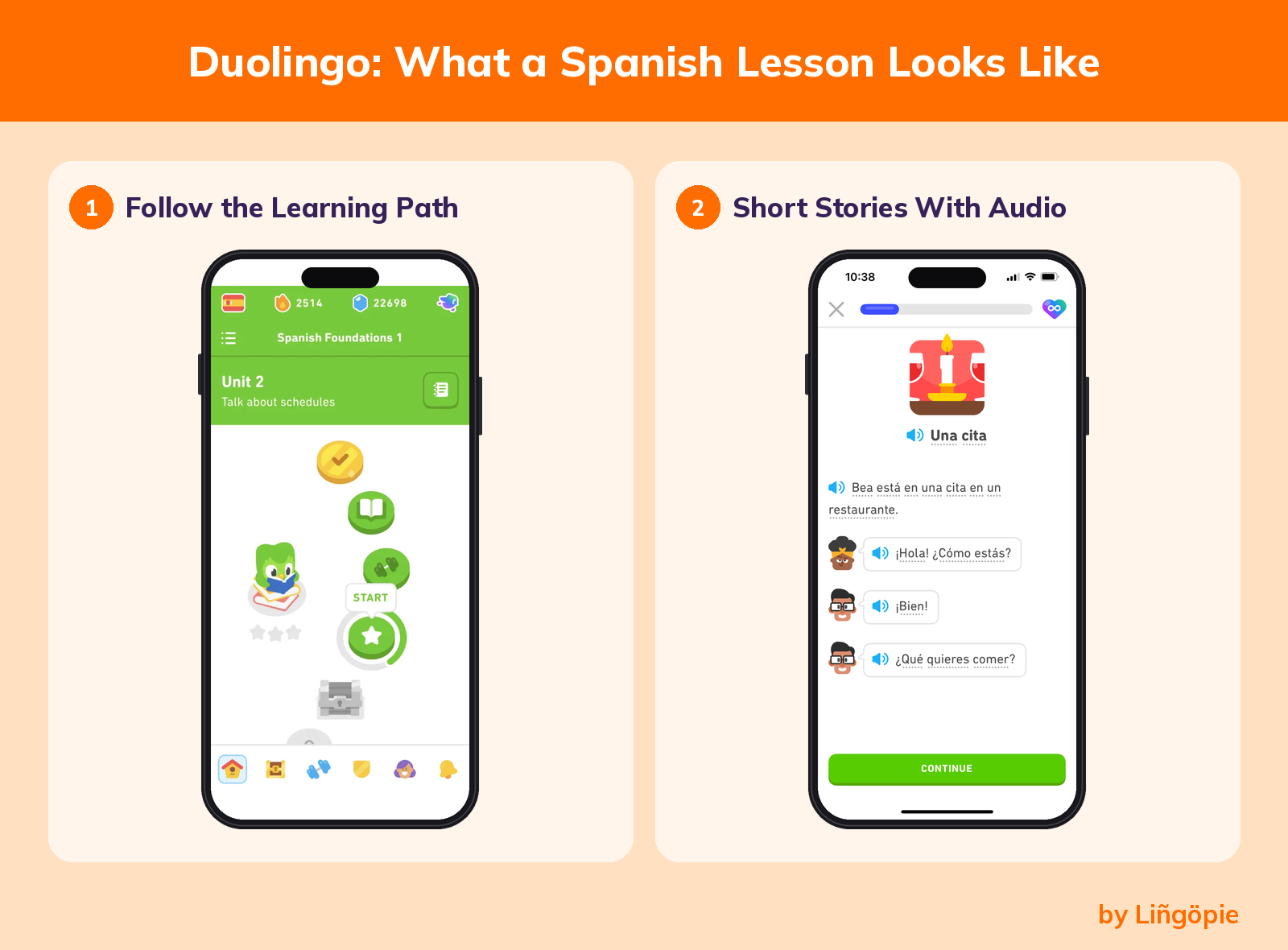
- Pros: free access to every course; short lessons that fit a spare few minutes; low barrier for a first-time learner.
- Con:free mobile users run on a daily energy limit and see ads between lessons, which cuts long study sessions short.
- Best for: absolute beginners building a daily habit.
- Price: free with ads.Paid tiers (Super Duolingo and Duolingo Max) vary in priceby region and platform, so check the app store before you subscribe.
2. HelloTalk
HelloTalk is a language exchange app. It connects you with native Spanish speakers who are learning your language, so you can help each other. You can text, send voice messages or make calls.
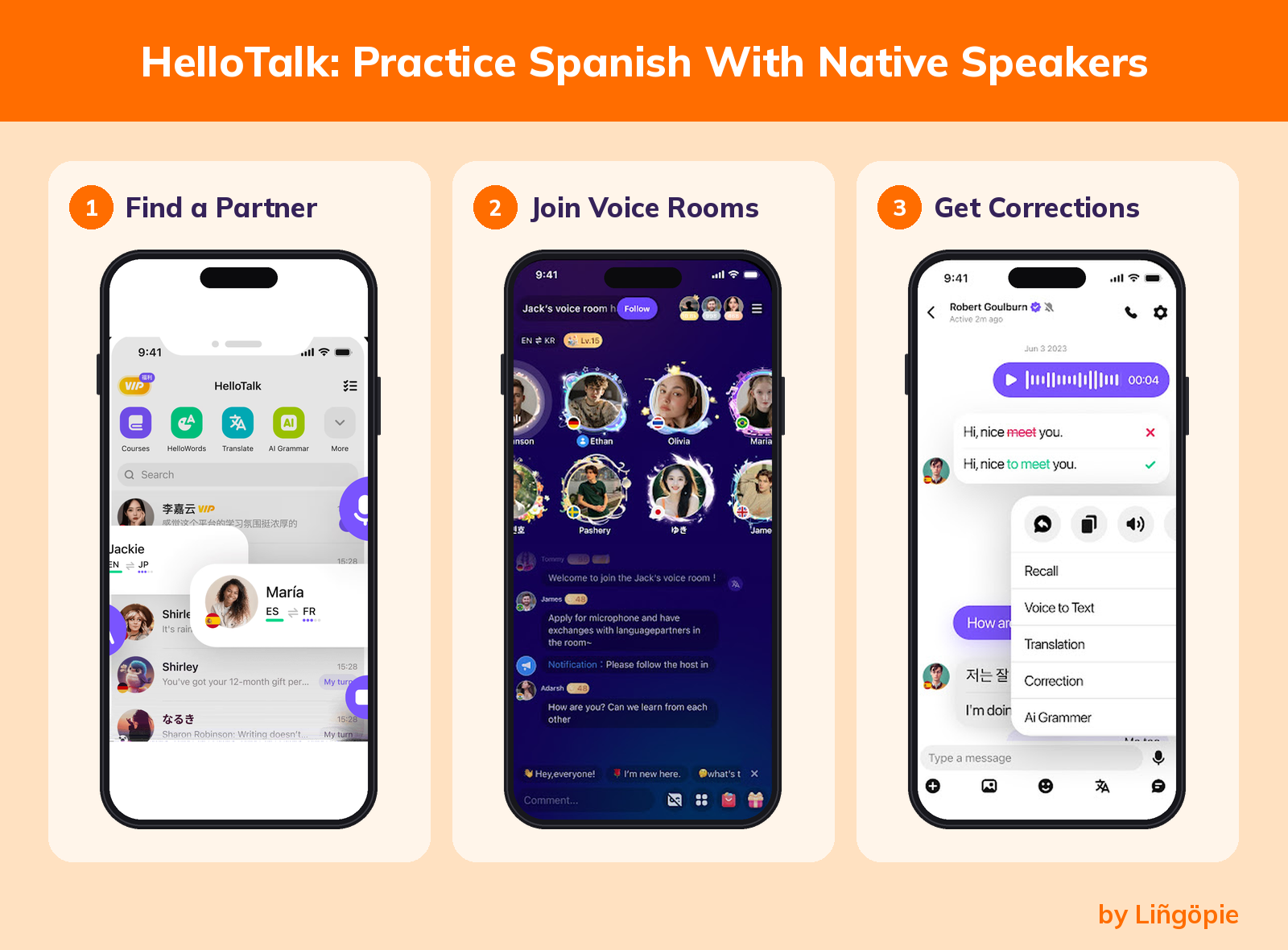
- Pros: real conversation practice with real Spanish speakers; builds speaking and listening confidence; flexible, on your schedule.
- Con: there is no curriculum. Your progress depends on finding a reliable partner who answers consistently.
- Best for: learners at A2 or above who want a free conversation partner.
- Price:free to download, with an optional paid upgrade.
3. SpanishDict
SpanishDict (listed in app stores as SpanishDictionary.com Learning) combines a Spanish-English dictionary, a translator, conjugation tables for every verb and hundreds of video grammar lessons. The app is free, and its US App Store listing shows a 4.8 rating.
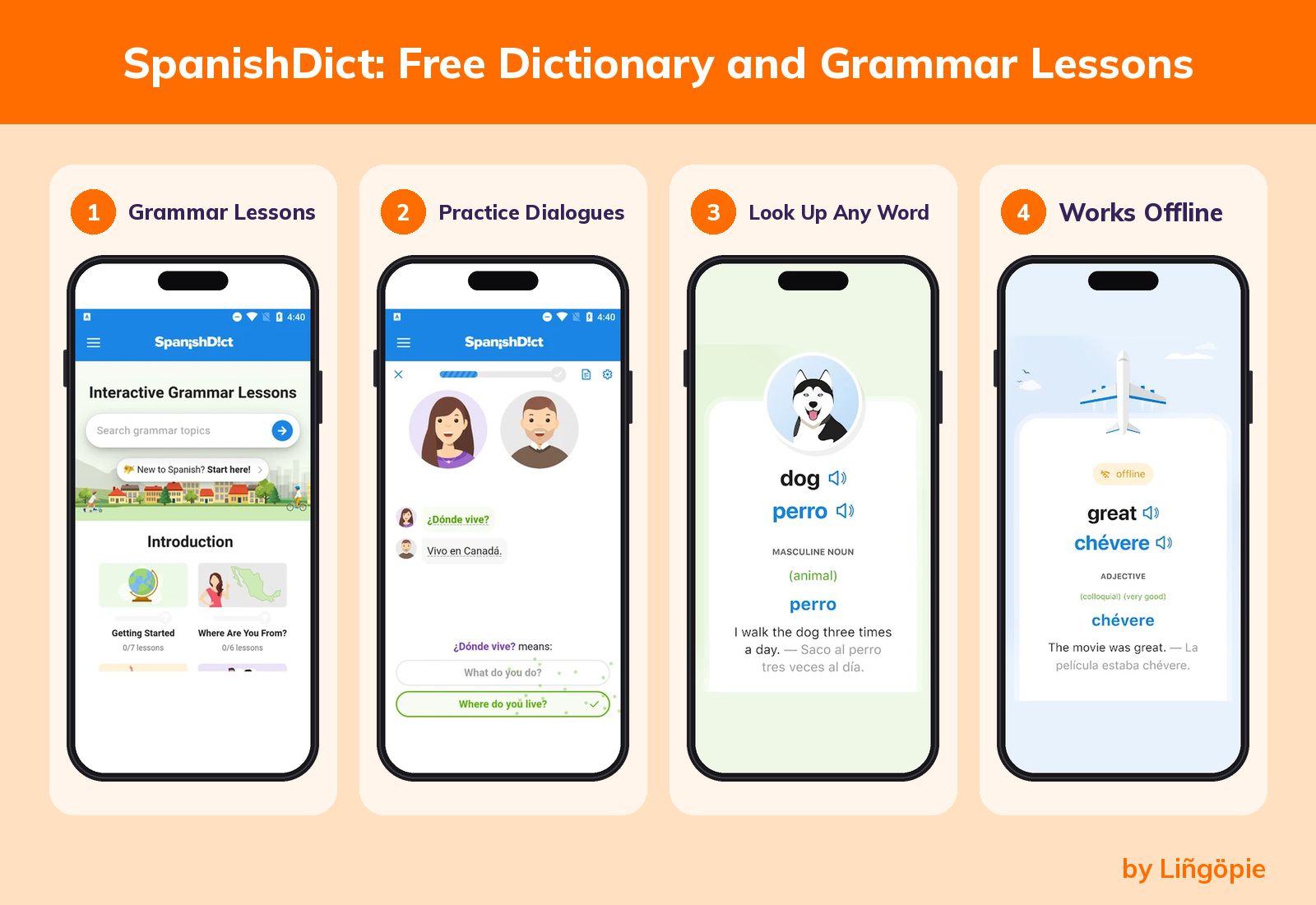
- Pros:marks regional words for Spain and Latin America; the dictionary works offline; vocabulary quizzes use spaced repetition.
- Con:it is a reference and grammar tool, not a course that gets you speaking.
- Best for:beginners and intermediate learners who want grammar explanations and quick lookups.
- Price:free with ads. Premium removes ads and adds offline quizzes for $12.99 per month or $59.99 per year on the US App Store.
4. Clozemaster
Clozemaster shows you sentences with one word missing, and you fill in the blank. Every Spanish word appears inside a real sentence, ordered by how common the missing word is,according to Clozemaster.The App Store lists it for A2 to C1 learners.
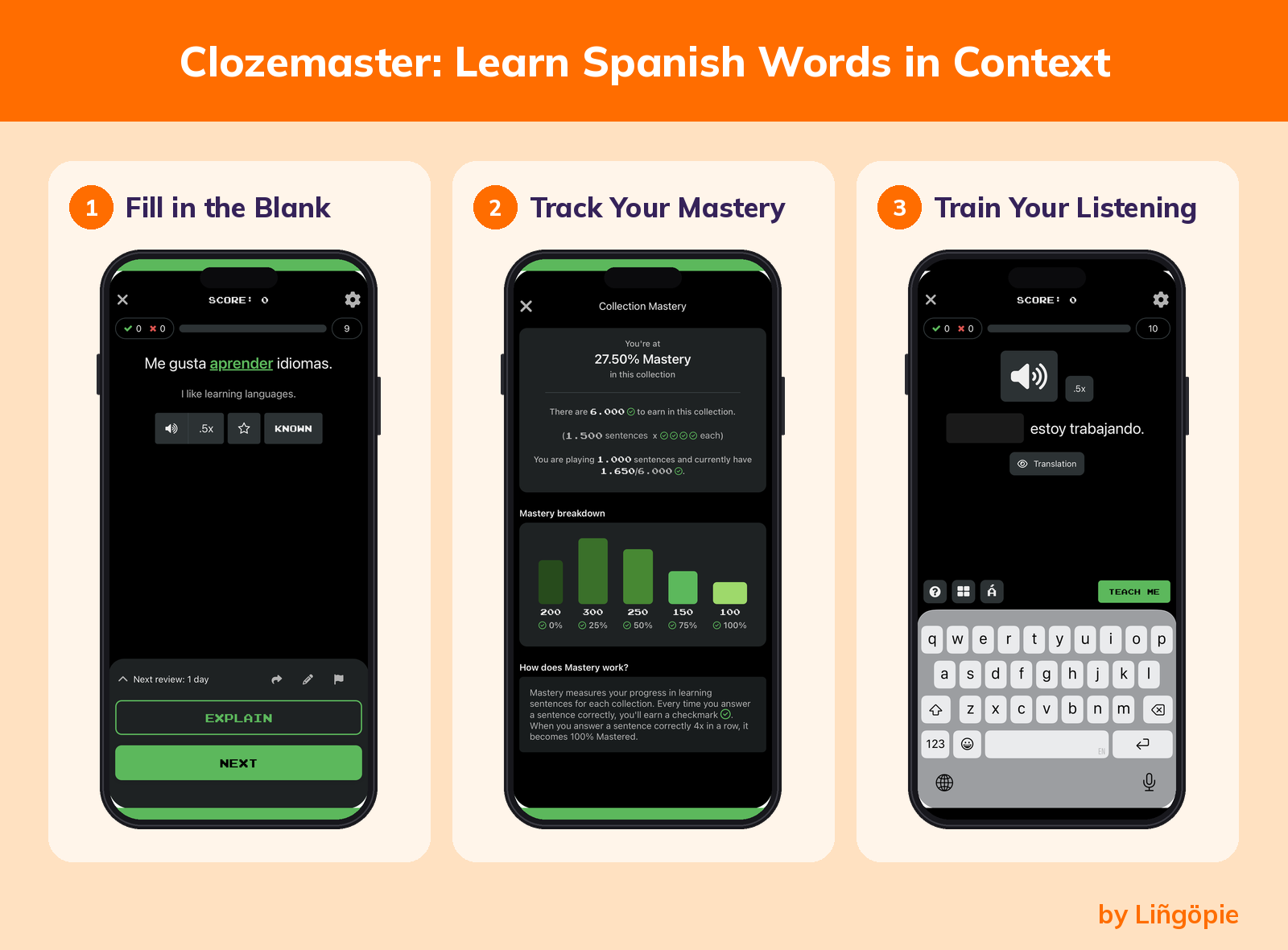
- Pros: teaches words in context; review sentences come back at set intervals (spaced repetition); good vocabulary trainer alongside a course.
- Con: sentences come from Tatoeba, a community-built database, so a few may be inaccurate, and it is not designed for a first lesson.
- Best for: intermediate learners who want to grow vocabulary.
- Price: free for 30 sentences per day, according to Langoly. Pro adds unlimited sentences and listening and reading modes.
5. Language Transfer
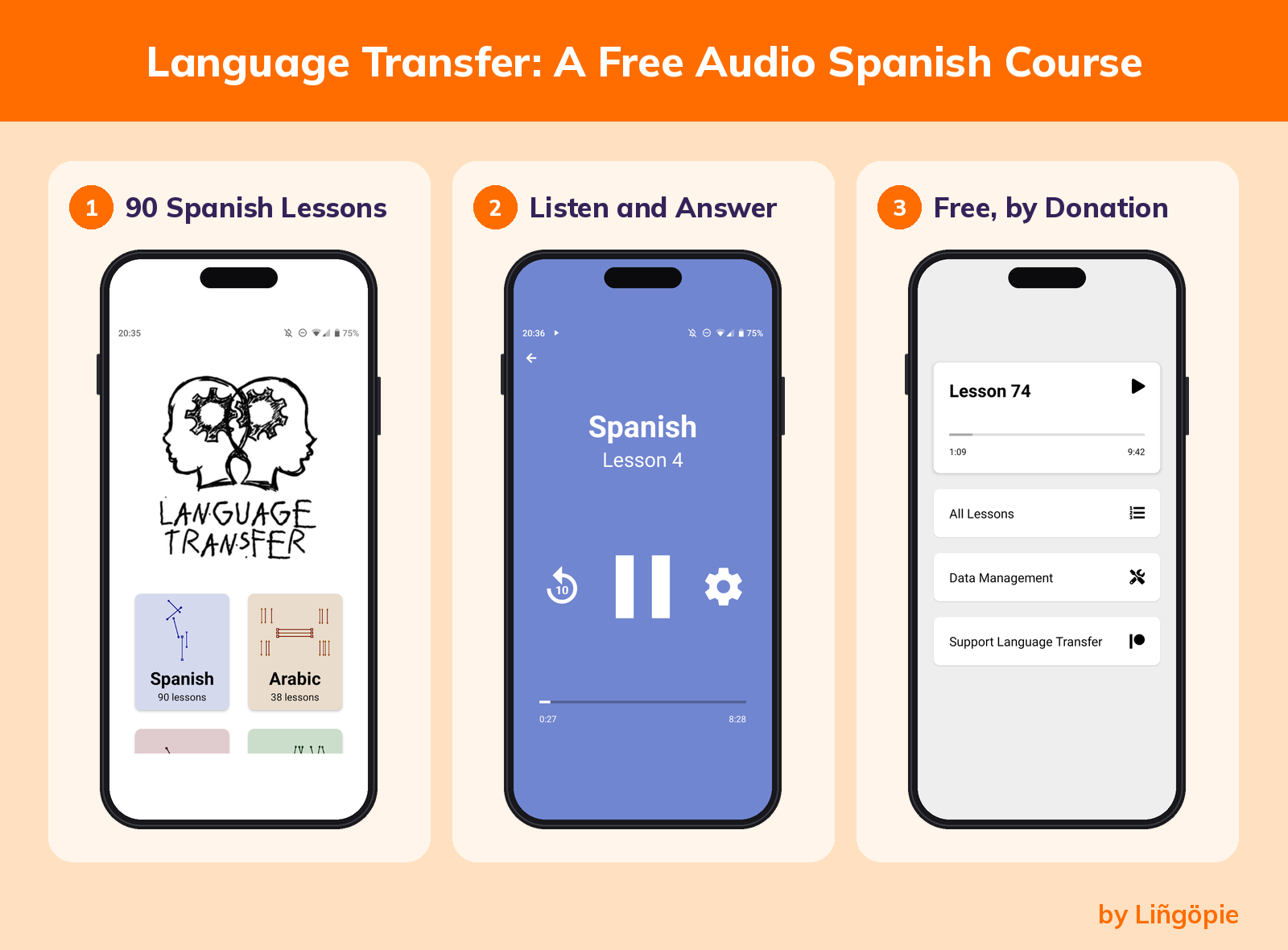
Language Transfer is a free audio course called Complete Spanish, built on "the Thinking Method." Instead of memorizing lists, you build sentences yourself, helped by a student who learns alongside you.The course runs on donations and has 90 audio lessons of about 10 to 15 minutes each.
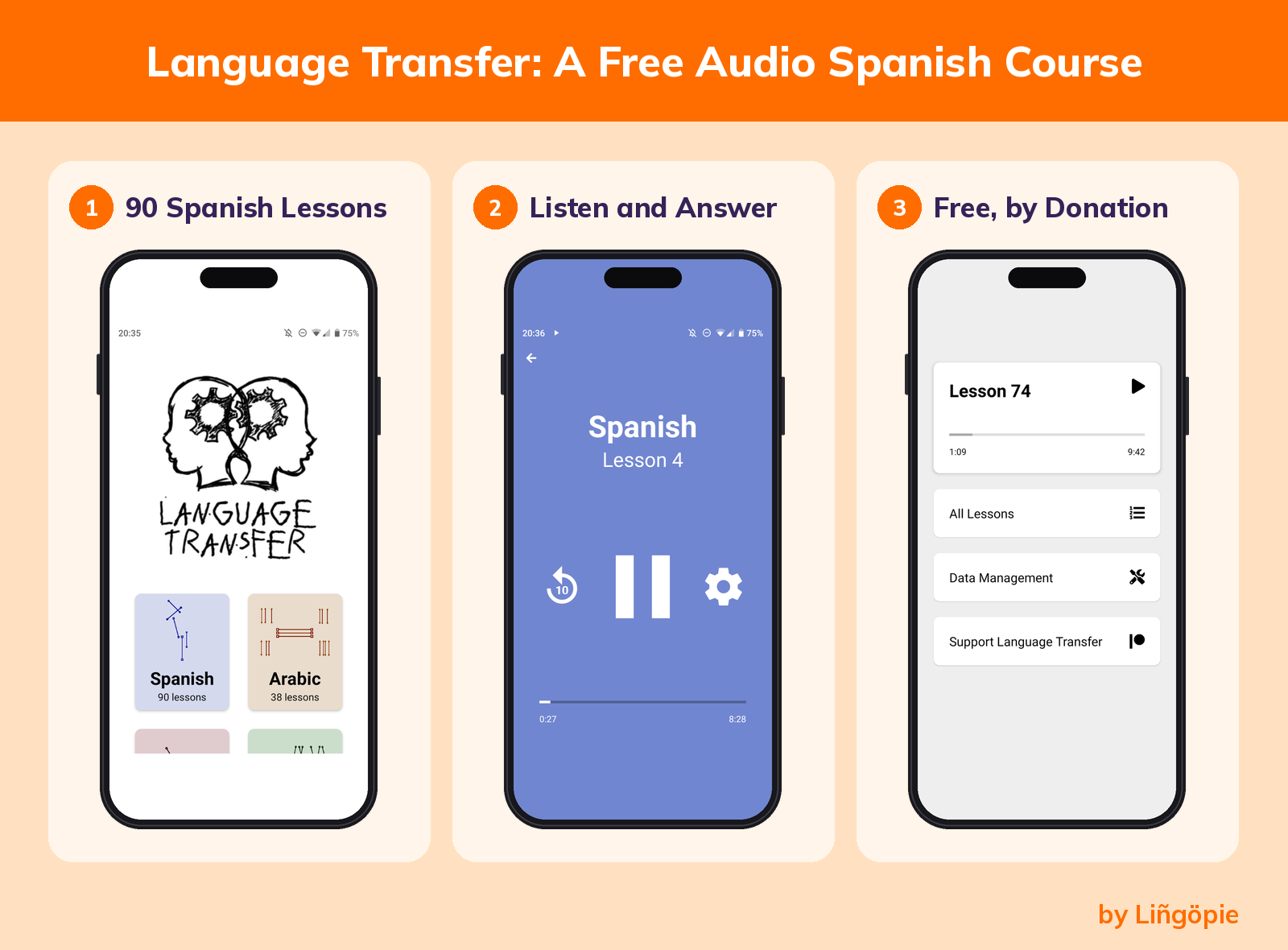
- Pros: explains why Spanish works the way it does; no sign-up and no ads; works well forhands-free practice on a walkor commute.
- Con: audio only, with no reading practice and no feedback on your pronunciation. You must pause and answer out loud for it to work.
- Best for: beginners who want to understand the language instead of memorizing it.
- Price: free, funded by donations through Language Transfer.
Best Paid Spanish Language Apps
Paid apps add structure, more feedback and less friction. Here are seven options, from subscriptions to one-time purchases.
Before you pay, test the fit. Most paid apps here offer a free trial or a refund window. Lingopie and Pimsleur list 7-day free trials, Mango starts with a free trial, and reviewers report a 7-day trial and a 60-day refund guarantee for Rocket Spanish.
Use the trial to complete a full first lesson and check that the teaching style suits you. Access to multiple languages on one account, as with Babbel or Mango, only matters if you plan to study a second language.
6. Rosetta Stone
Rosetta Stone teaches through immersion. Its Dynamic Immersion method avoids translation, and its TruAccent tool checks your pronunciation. According to Rosetta Stone's plans page, the service offers 25 languages, including both Spanish (Spain) and Spanish (Latin America).
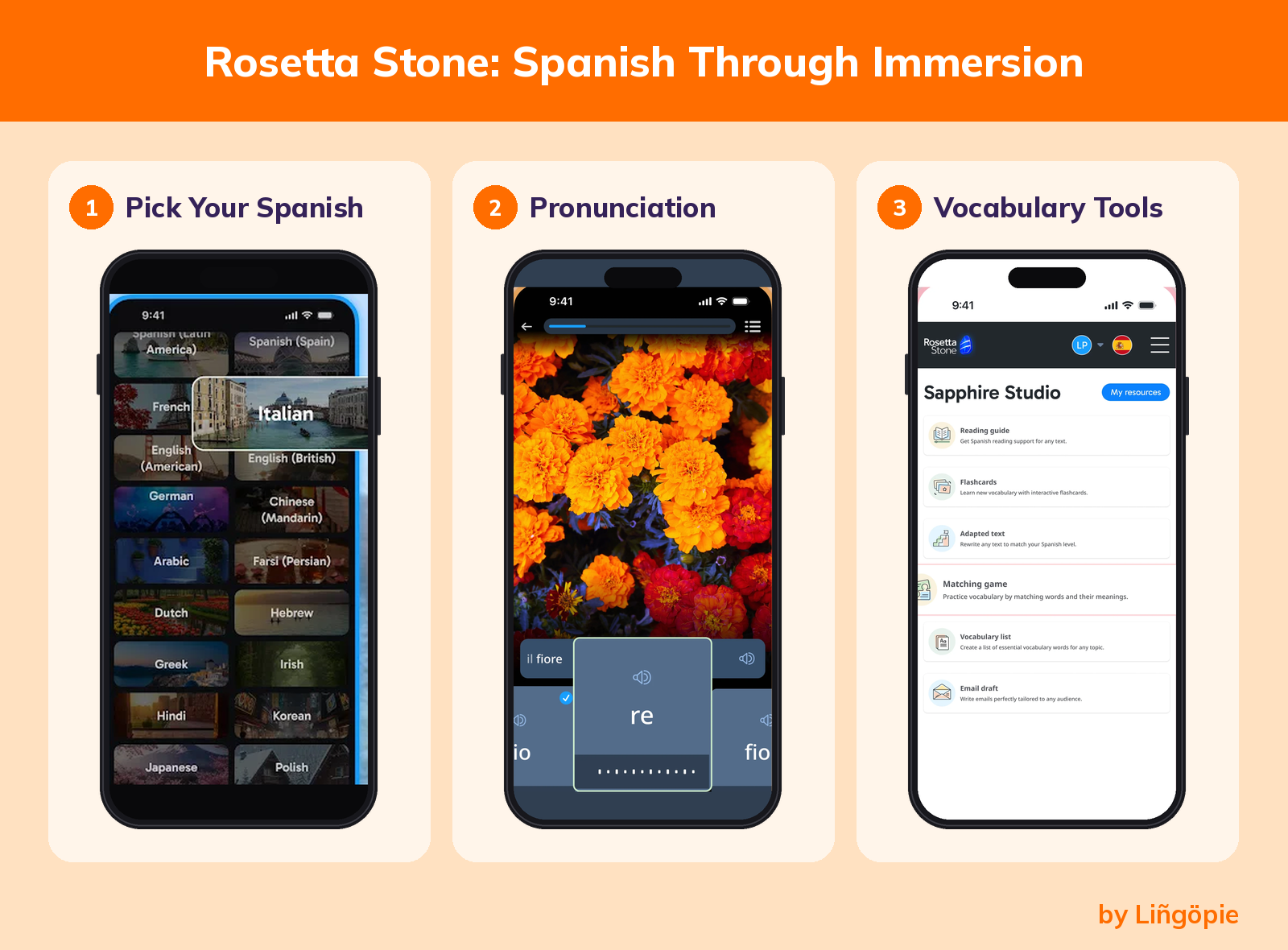
- Pros: picture-led lessons suit visual learners; speech recognition for pronunciation; both Spanish varieties available.
- Con: with no translation, you get few explicit grammar rules, so many learners pair it with a grammar resource.
- Best for: visual learners who like to think directly in Spanish.
- Price: sold as 3-month, 12-month and lifetime plans, with frequent promotions. We could not confirm one current price, so check rosettastone.com.
7. Lingopie
Disclosure reminder: Lingopie is our product, and we have a stake in this recommendation.
Lingopie teaches Spanish through TV shows, podcasts and books. You watch with interactive subtitles, click a word to see its meaning and save it for review. The catalog holds 5,000+ shows, podcasts and booksacross 17 languages, and it has 2M+ learners.It is rated 4.6/5 on Trustpilot from 3,878 reviews (November 2026).We recommend about 10 minutes a day.
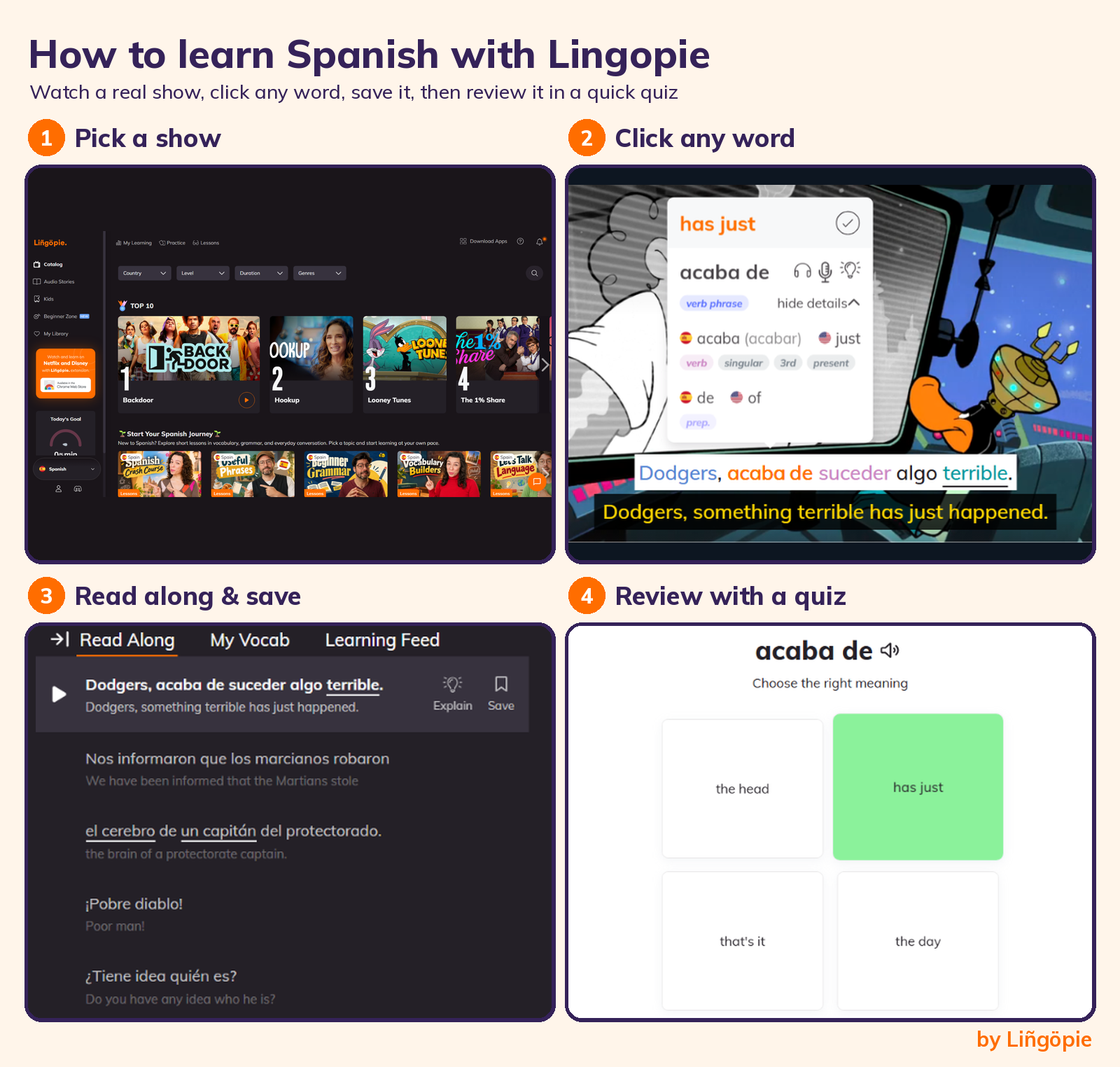
That click-to-translate feature has research behind it: in a study of 227 learners, captions with word translations more than doubled target-word meaning recall compared with standard captions (Montero Perez, Peters & Desmet, 2018).
What Trustpilot reviewers say:
"An excellent tool for anyone trying to increase their ability to speak Spanish." (John Miller, US)
"You can pause when you don't understand, play back, even highlight the phrases you miss." (Amybeth, US)
"Allows me to choose the dialect of a language, such as Latin American Spanish." (Roland Heiden)
- Pros: listening practice with native speakers; vocabulary saved with its original sentence; runs on iOS, Android, Fire TV, Roku, Google TV and a Chrome extension.
- Con: no permanent free tier, and it is a video-first tool, not a step-by-step curriculum, so pair it with a course if you want grammar drills.
- Best for: learners from A2 upward who want listening practice through TV. Dual subtitles are recommended below B1.
- Price: a 7-day free trial, then monthly, quarterly, yearly, family add-on or lifetime plans. Prices appear in your local currency, according to Lingopie's pricing page. Catalog availability varies and is subject to change.
8. Babbel
Babbel is a subscription course that builds Spanish in a logical sequence, from vocabulary to grammar. Babbel's US pricing page shows 14 languages and a 12-month plan at $8.95 per month ($107.40 billed upfront, shown as a 50% promotion). A lifetime plan is $299.99 as a one-time payment.
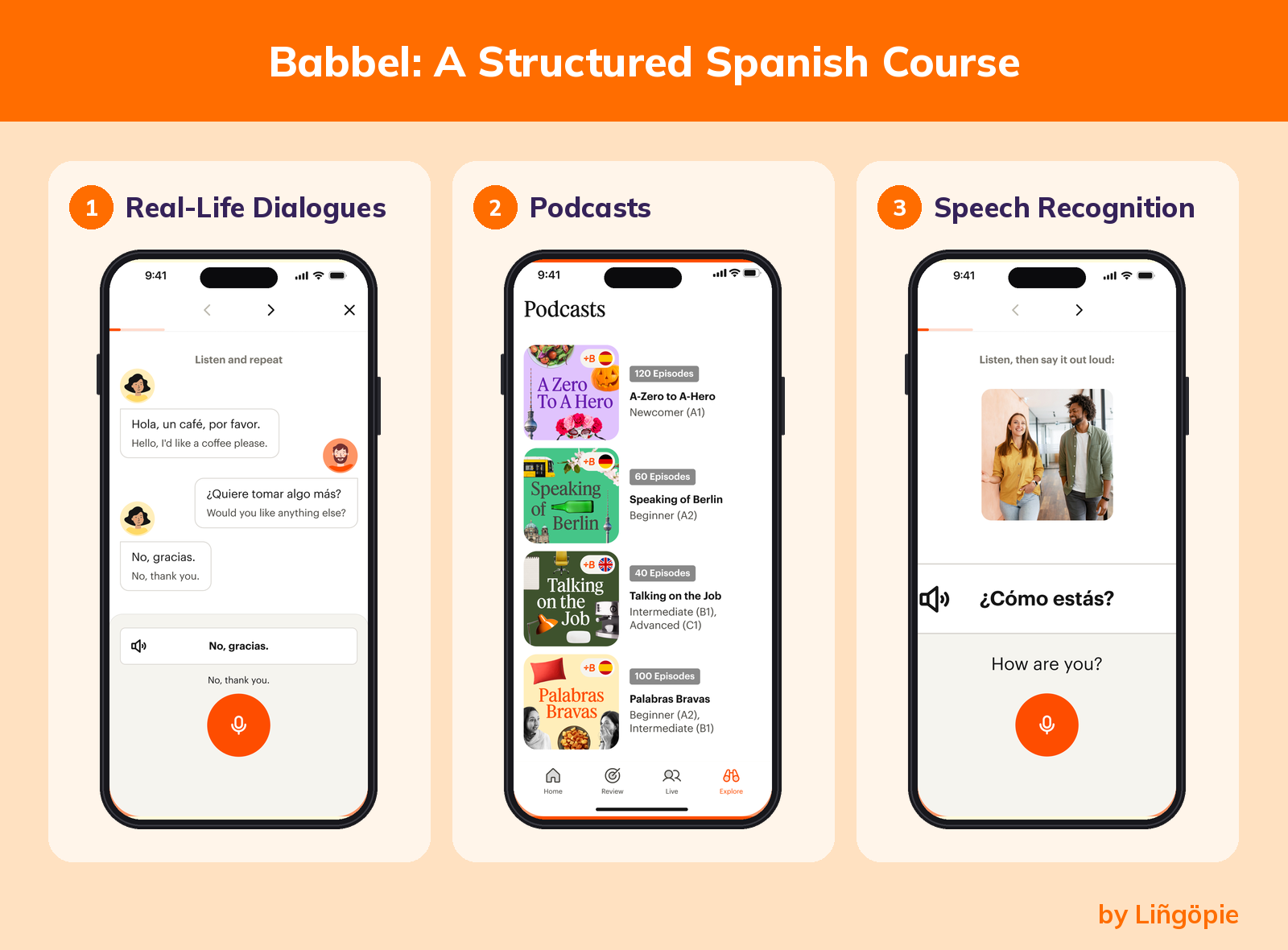
- Pros: clear step-by-step path; a subscription covers all 14 languages; annual plan and lifetime options.
- Con: there is no permanent free tier. Reviewers report one free lesson per language before you must subscribe. Live classes with teachers, called Babbel Live, are sold separately at extra cost.
- Best for: beginners and lower-intermediate learners who want a structured path.
- Price: see above. Promotions change, so confirm at checkout.
9. Pimsleur
Pimsleur is built around audio. You listen, then speak, with core lessons of about 30 minutes each. According to SpeakFluent Reviews, the Spanish course has 5 levels of 30 lessons, about 75 hours of audio. You choose Latin American or Castilian Spanish when you start.
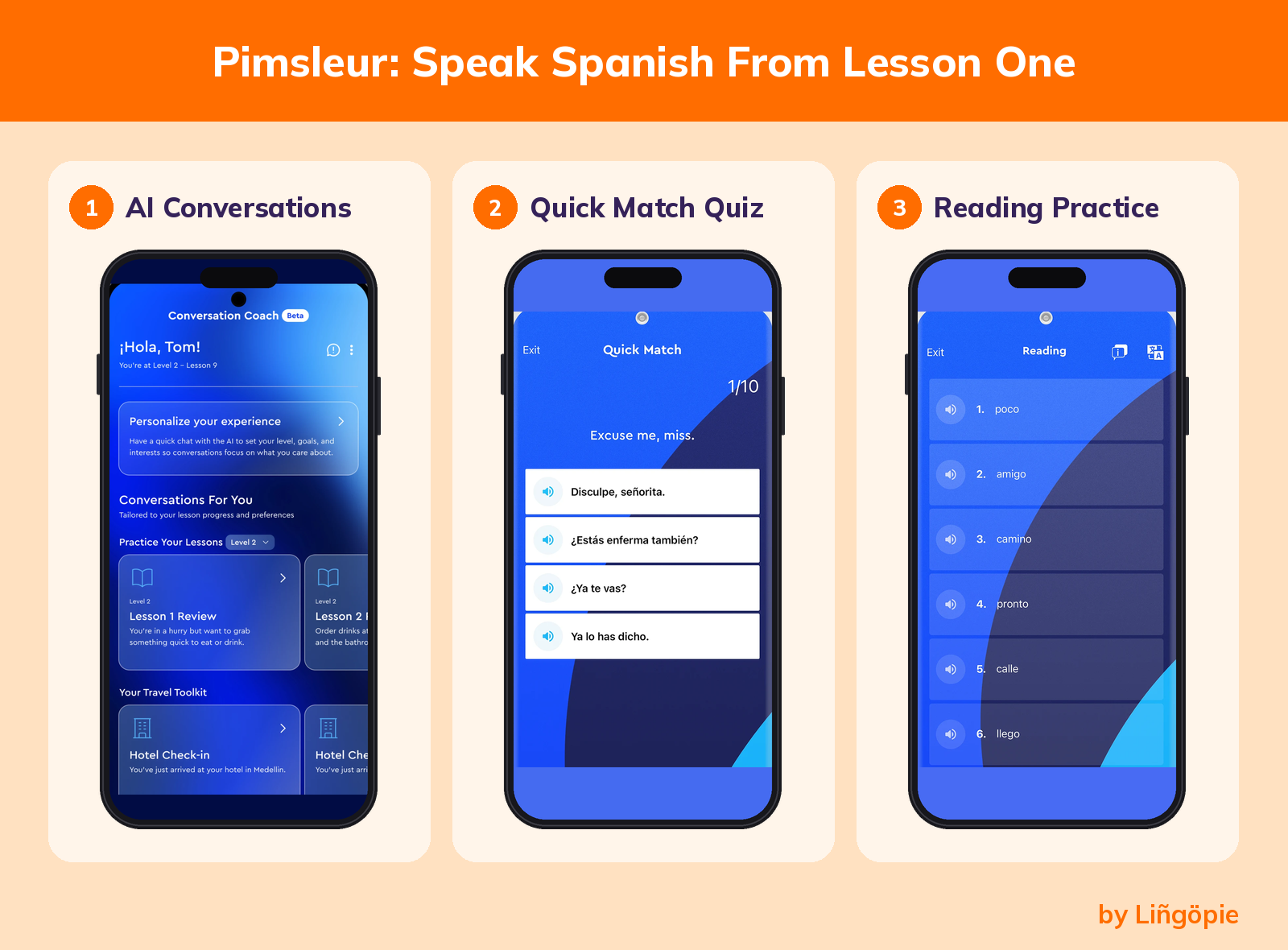
- Pros: you speak from the first lesson;suits hands-free practicewhile walking or driving; a Voice Coach gives pronunciation feedback.
- Con:at $19.95 per month, it costs morethan most subscriptions here, and the audio-first format is lighter on written grammar.
- Best for: beginners who want to speak and listen on the go.
- Price:$19.95 per month for Premium (one language) or $20.95 per month for All Access (every language), with a 7-day free trial, according to Pimsleur's US pricing.Confirm before you subscribe.
10. italki
italki matches you with a real person. You book one-on-one video lessons with Spanish tutors, then choose by goal, budget and availability. According to italki, it lists 2,500+ Spanish tutors with lessons starting from $4 per hour, and there is no subscription. Tutors come from Spain, Mexico, Colombia, Argentina and more, so you can practice the accent you want.
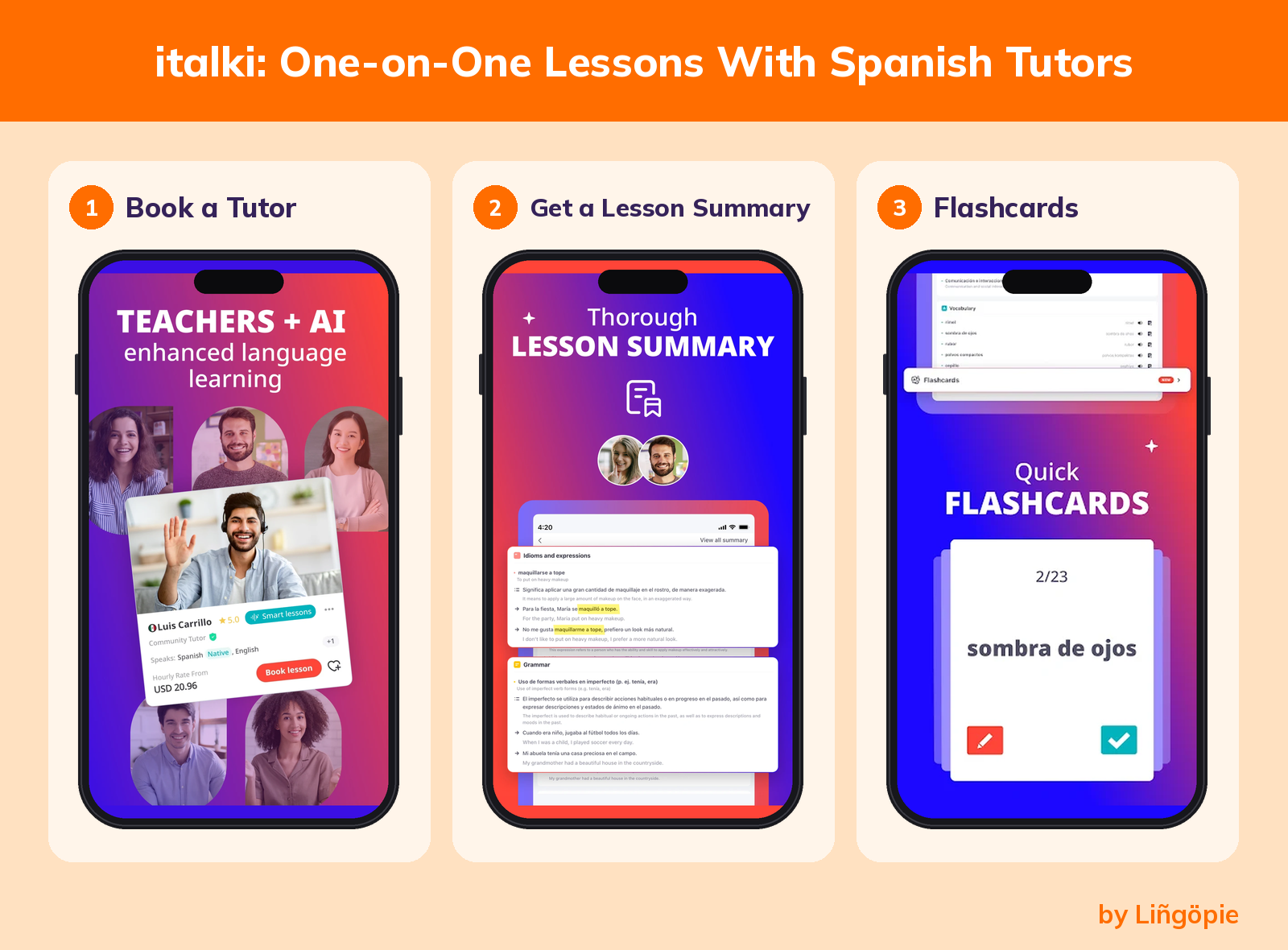
- Pros: live feedback on your speaking; lessons tailored to your goal; you pay only for lessons you book.
- Con: cost grows with every lesson, and tutor quality varies, so plan to test a few.
- Best for: any level, especially learners who need speaking practice.
- Price: from $4 per lesson. Trial lessons are usually 30 minutes and discounted 30% to 50%, and each student can book up to three, one per tutor,per italki's Spanish tutors page.
11. Mango Languages
Mango teaches Spanish through conversations, and its lessons feel more like a class than a game. According to Mango Languages, both the individual and family plans start with a free trial, and one subscription covers 70+ languages.
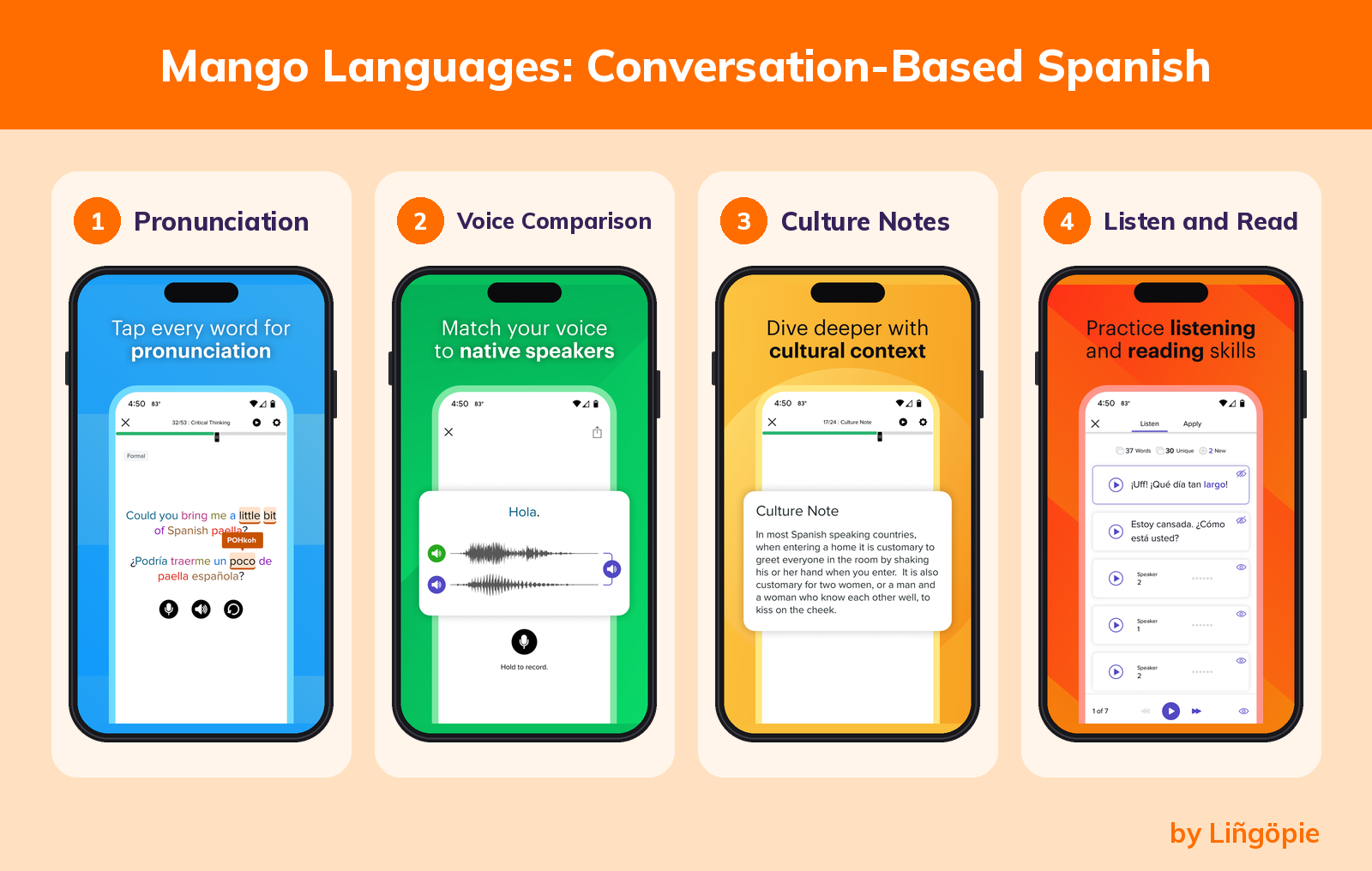
- Pros: lessons built on real conversations; access to every language on one account; many public libraries offer it for free.
- Con: the class-style format may feel slow if you prefer game-like apps, and free library access depends on where you live.
- Best for: learners who want structured lessons and might get free access through a library.
- Price: we could not confirm a current price from an official source, so check the pricing page.
12. Rocket Spanish
Rocket Spanish rounds out the list as the best one-time purchase.It centers on interactive audio lessons and speech recognition, and it emphasizes Latin American Spanish.You pay once, with no subscription.
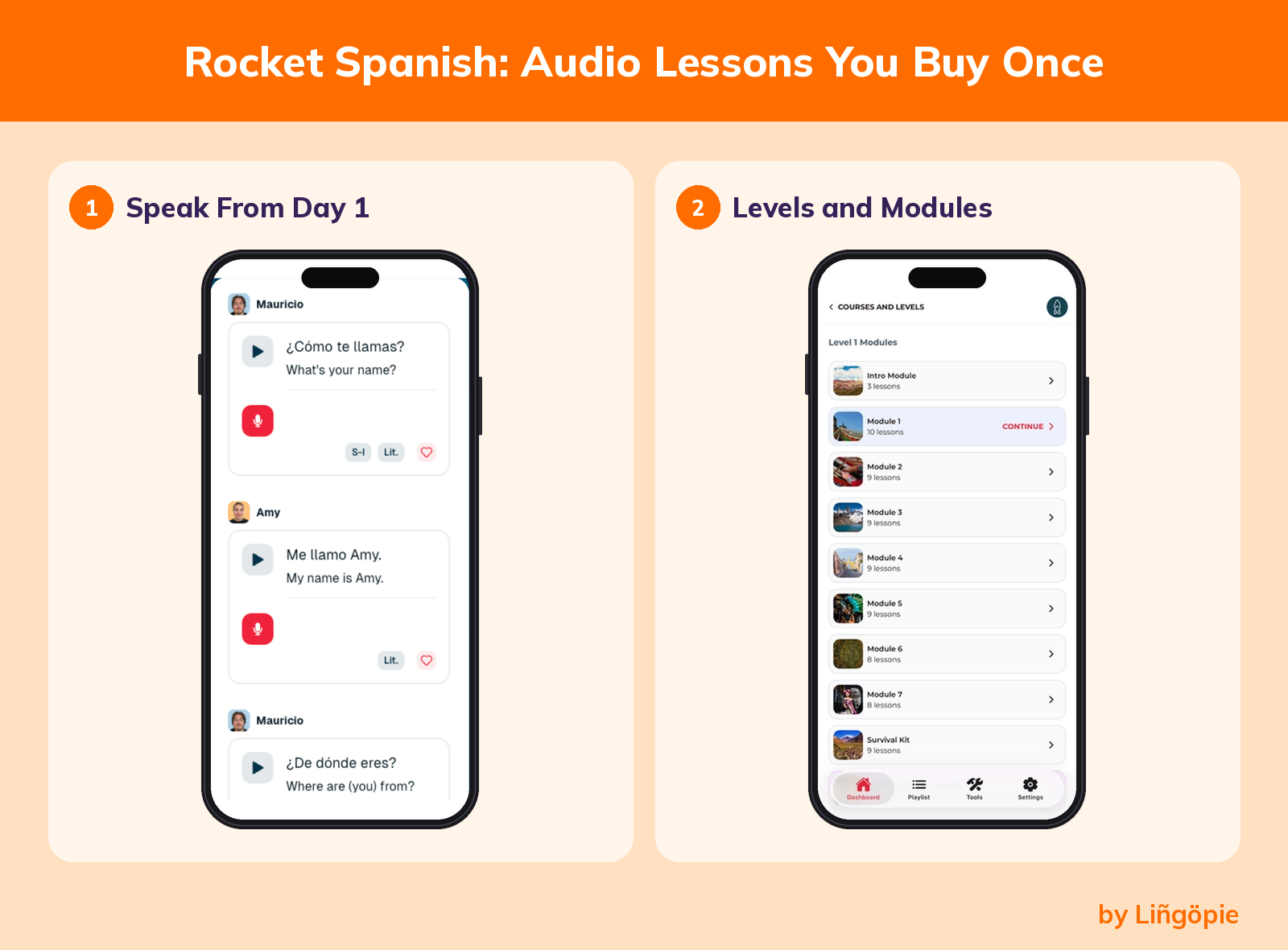
- Pros: lifetime access to what you buy; three levels so you can start small; a 60-day refund guarantee, according to reviewers at E-Student.
- Con: the highest upfront cost on this list, and it covers Spanish only.
- Best for: learners who prefer to pay once and want Latin American Spanish.
- Price: $149.95 per level, according to Rocket Languages. Reviewers report $299.90 for levels 1 and 2 and $449.85 for all three, plus a 7-day free trial.
Quick Comparison Table
App | Price (checked September 2026) | Free or paid | Best for |
|---|---|---|---|
Duolingo | Free with ads; paid tiers vary by region | Free (premium version available) | Building a daily habit as a beginner |
HelloTalk | Free to download; optional paid upgrade | Free (premium version available) | Chatting with a conversation partner |
SpanishDict | Free with ads; Premium $12.99 per month | Free (premium version available) | Dictionary, conjugations and grammar lessons |
Clozemaster | Free for 30 sentences per day; Pro adds more | Free (Pro available) | Vocabulary in context, A2 to C1 |
Language Transfer | Free, donation-funded | Free | Understanding how Spanish works, audio only |
Rosetta Stone | 3-month, 12-month and lifetime plans; check site | Paid | Visual, translation-free immersion |
Lingopie | 7-day free trial; local-currency plans | Paid | Listening practice with TV shows |
Babbel | $8.95 per month on a 12-month plan; $299.99 lifetime | Paid | A structured step-by-step course |
Pimsleur | $19.95 per month (one language); 7-day free trial | Paid | Speaking and listening on the go |
italki | From $4 per lesson, no subscription | Pay per lesson | One-on-one lessons with a real person |
Mango Languages | Free trial; free with many library cards | Paid (or free via library) | Class-style lessons with real conversations |
Rocket Spanish | $149.95 per level, one time | Paid (one-time) | Audio lessons in Latin American Spanish |
How to Choose the Best Apps to Learn Spanish
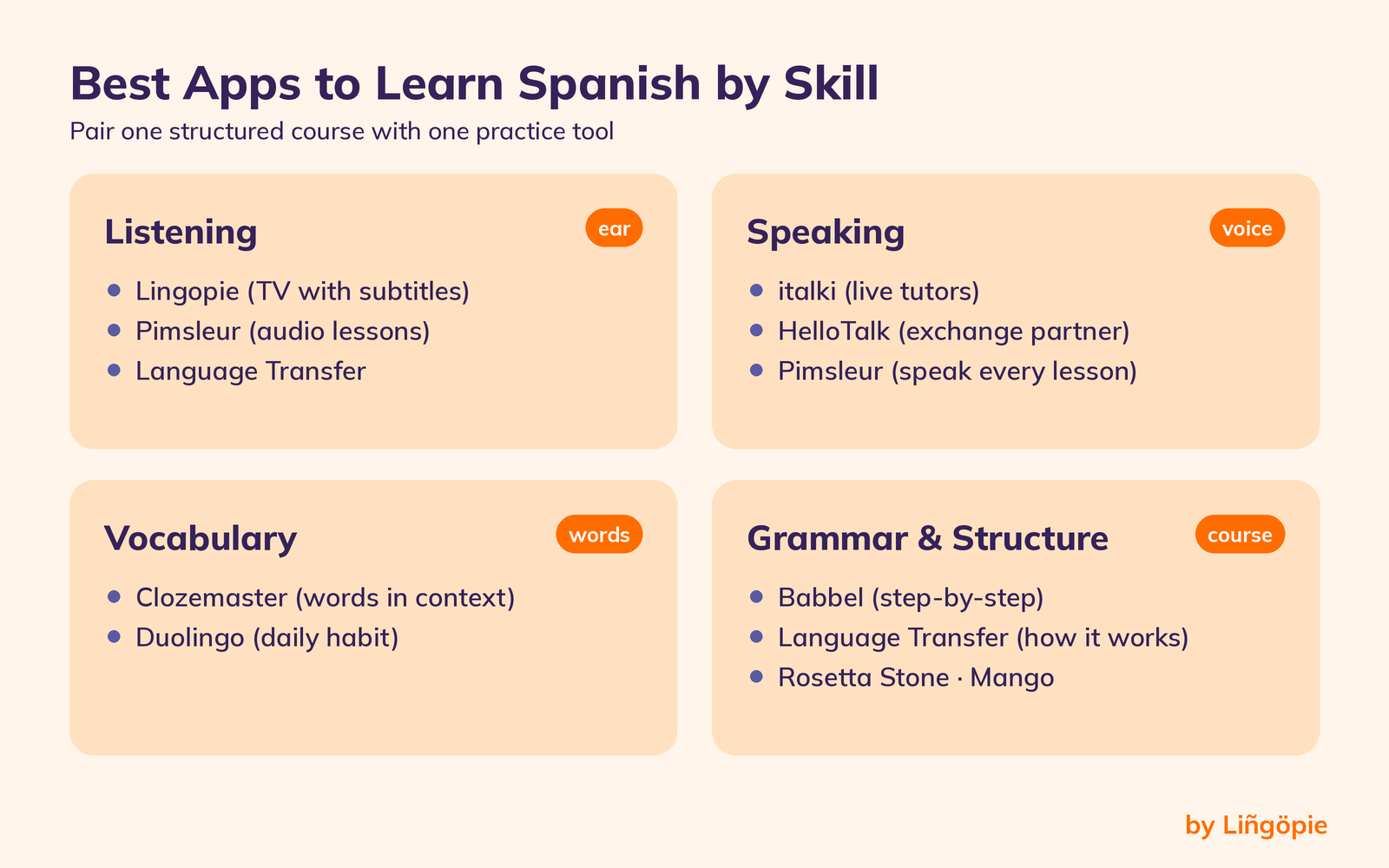
Pick by how you learn, what you want to do with Spanish, and what you can spend.
By learning style
- Visual learners: Rosetta Stone (picture-led lessons) or Lingopie (video with subtitles).
- Audio learners: Pimsleur, Language Transfer or Rocket Spanish.
- Conversation-first learners: italki or HelloTalk, plus a course for structure.
Vocabulary builders: Clozemaster or Duolingo.
By goal
- A trip to Mexico City or elsewhere in Latin America: choose Latin American Spanish in Pimsleur, or a Rocket Spanish course.
- Speaking with locals: add italki lessons to any app.
- Understanding TV and native speech: choose Lingopie and a captioned video habit.
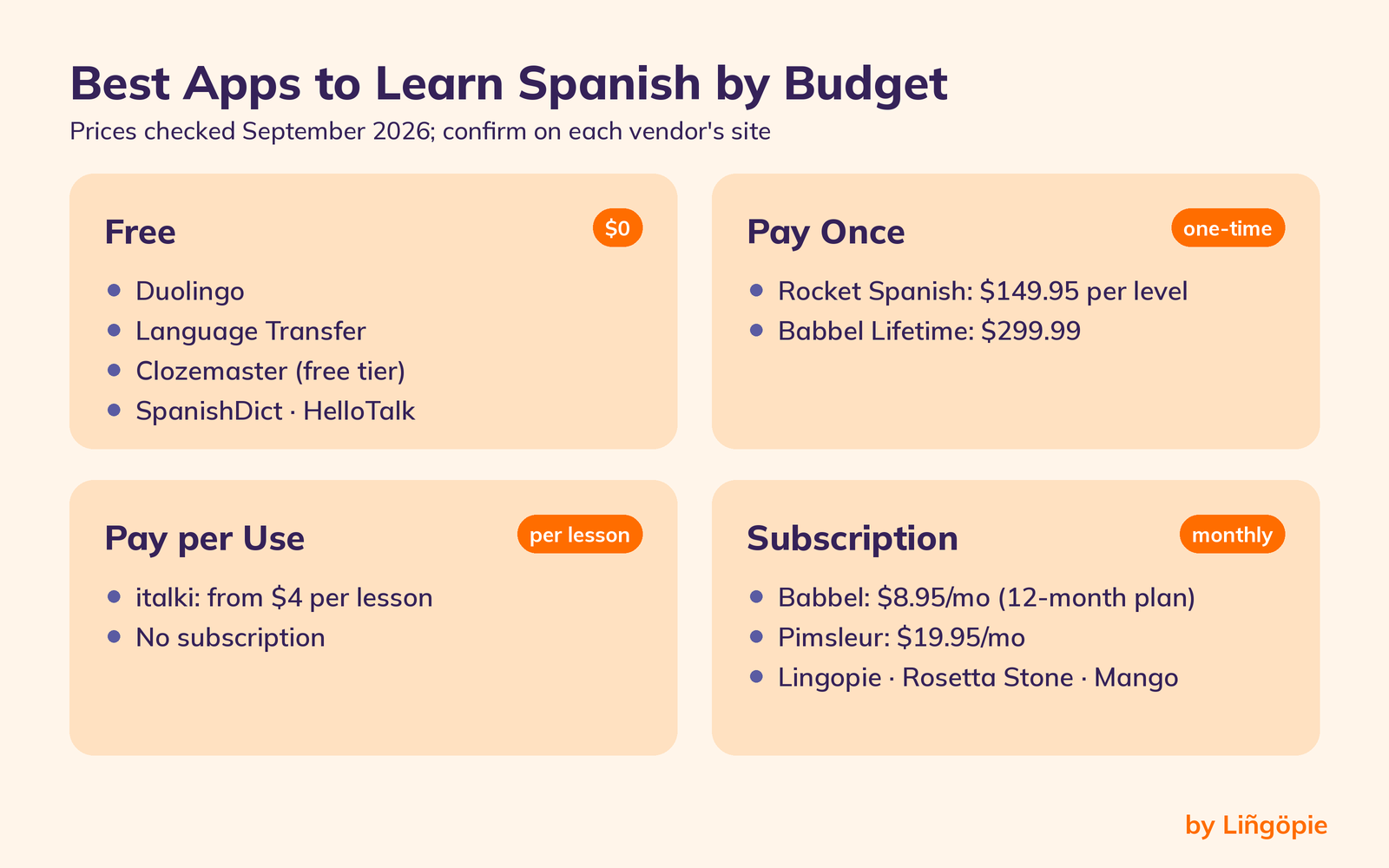
By budget
- $0: Duolingo, Language Transfer,SpanishDict, Clozemaster(free tier) and HelloTalk.
- Pay once: Rocket Spanish, or a lifetime plan such as Babbel's at $299.99.
- Pay per use: italki, from $4 per lesson.
- Subscription: Babbel, Pimsleur, Lingopie, Rosetta Stone or Mango.
Most learners do better with two tools: one that gives structure and one that gives real practice, such as a course plus a tutor.
Sample study plans: how to combine apps
One app rarely covers everything. Use these combinations as a starting point and adjust the time to your schedule.
- Free plan (about 20 minutes a day): Language Transfer for 10 minutes to learn how to form sentences, then Duolingo or Clozemaster for 10 minutes of vocabulary review. Add a weekly HelloTalk chat once you reach A2.
- Structured plan: Babbel or Pimsleur for your core lessons, plus one italki trial lesson every two weeks to test what you learned out loud.
- Listening-first plan: a short Lingopie session each day for listening practice, plus a course such as Babbel for grammar instruction.
Whichever plan you pick, look for built-in repetition, such as spaced repetition flashcards, so new words come back before you forget them. There is no perfect app, but there is usually a perfect combination for your level and schedule.
Three mistakes to avoid with Spanish apps
- Collecting apps instead of finishing one. Stay with one main course for at least a month before judging whether the program works for you.
- Skipping speaking. Tapping and swiping can make you feel fluent. Say your answers out loud from day one.
- Ignoring feedback. Some apps now offer AI feedback on pronunciation or writing. It helps, but it does not replace a tutor's corrections.
FAQs
How long does it take to learn Spanish with an app?
It depends on your hours, not the app.According to the U.S. Foreign Service Institute, Spanish is a Category I language that takes English speakers about 24 weeks, or 600 class hours,to reach professional working proficiency.
At about 10 minutes a day, you log around 61 hours a year. So apps can build a base, but they do not promise fluency in a set number of months.
Are free apps enough to learn Spanish?
Free apps can cover foundational skills and basic conversations. Duolingo, Language Transfer and Clozemaster (up to 30 sentences a day) all cost nothing to start. Their limits show up later, mainly in speaking feedback and structured grammar, which is where a paid course or a tutor helps.
Do language apps actually work?
Research supports specific methods more than "apps" as a whole. A meta-analysis of captioned video found large effects on listening comprehension and vocabulary,according to Montero Perez and colleagues, and a 2025 meta-analysis of 49 experiments confirmed a vocabulary advantage for captioned viewing (Kurokawa, Hein & Uchihara).Apps work best when you use them daily and add real speaking practice.
What is the best app for speaking Spanish?
For speaking, the strongest options here are italki (live lessons with a real person), HelloTalk (a conversation partner) and Pimsleur (you speak in every lesson). Pick based on whether you want structure, free practice or paid feedback.
Which app is best for Latin American Spanish versus Spain Spanish?
Pimsleur lets you choose Latin American or Castilian Spanish at the start. Rosetta Stone lists both varieties, and Rocket Spanish focuses on Latin American Spanish. On italki, you can filter tutors by country.
Conclusion
There is no single best app, because your level, budget and goals decide the fit. If you have $0, start with Duolingo and Language Transfer. If you want a paid course, compare Babbel and Pimsleur. If you want to speak, book an italki trial lesson.
If you want a fun way to train your ear, Lingopie teaches Spanish through TV shows, with a 7-day free trial. Remember that we are an interested party in that recommendation. Whatever you choose, pick one app, study a little each day, and add a real conversation as soon as you can.
Start your 7-day free trial on Lingopie
Sources
- U.S. Department of State, Foreign Service Institute. Foreign Language Training.
- Montero Perez, M., Van Den Noortgate, W. & Desmet, P. (2013). Captioned video for L2 listening and vocabulary learning: A meta-analysis. System 41.
- Montero Perez, M., Peters, E. & Desmet, P. (2018). Vocabulary learning through viewing video. Computer Assisted Language Learning 31.
- Kurokawa, S., Hein, J. & Uchihara, T. (2025). Incidental Vocabulary Acquisition Through Captioned Viewing: A Meta-Analysis. Language Learning 75.
- Lingopie reviews on Trustpilot, checked November 2026.